Hi,
With the recent update to HappyFiles 1.9 it’s now possible to rearrange images inside the folders to a custom order, and to sort them by this custom order.
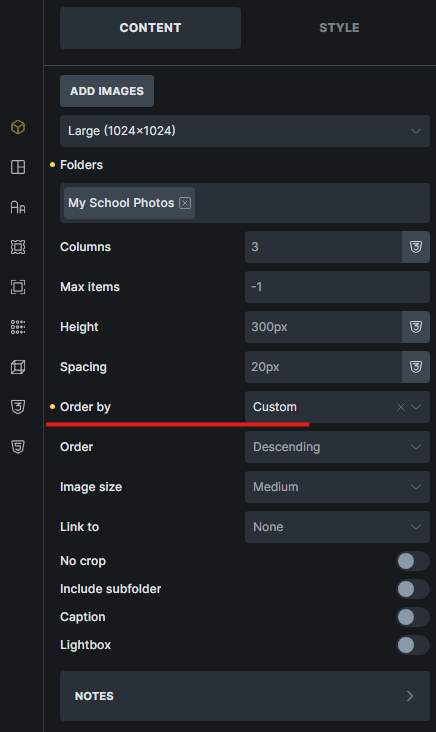
I have gotten it to work with HappyFiles gallery element:
-
Inside HappyFiles settings I have enabled custom item ordering.
-
In the media library I have sorted by ‘custom’ and made some changes to the item orders.
-
Inside the editor I have set value for ‘Order By’ to ‘Custom’ on the HappyFiles gallery element, and it orders the items correctly, so that’s great.
However, I can’t get this custom ordering to work outside of using the HappyFiles gallery element, such as on a Bricks Query Loop element.
- There is no ‘Custom’ option for ‘Order By’ in my Query Loop, so I tried setting it to ‘menu order’ as per the v1.9 changelog video, but that doesn’t work correctly either.
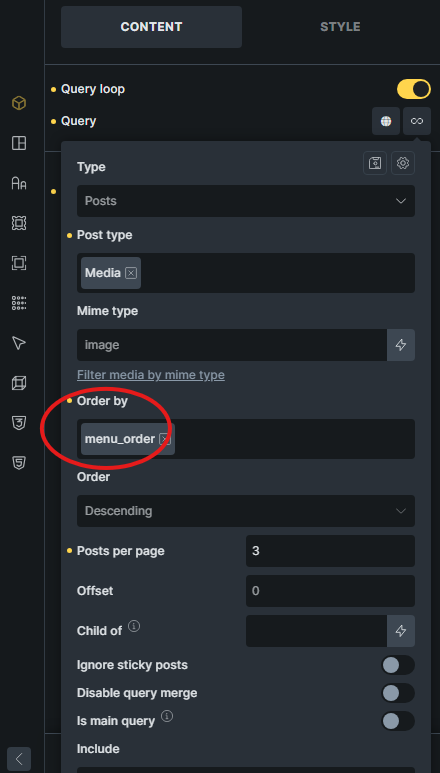
How can I apply this custom ordering of images from HappyFiles folders also to non-HappyFiles gallery elements such as Bricks Query Loops?
-
Should I use another ‘Order By’ option? Or does this HappyFiles update custom ordering only work on the HappyFiles gallery element?
-
If so, is there another way I can achieve custom ordering of my images inside Bricks Query Loop based on in-folder order placement?
Prior to this update I have simply numbered my images in their title in order to custom order them through Order By ‘title’, and I was hoping with this update I could instead custom order Query Loop images through in-folder placement order arrangement.