I would like to create my own mini cart.
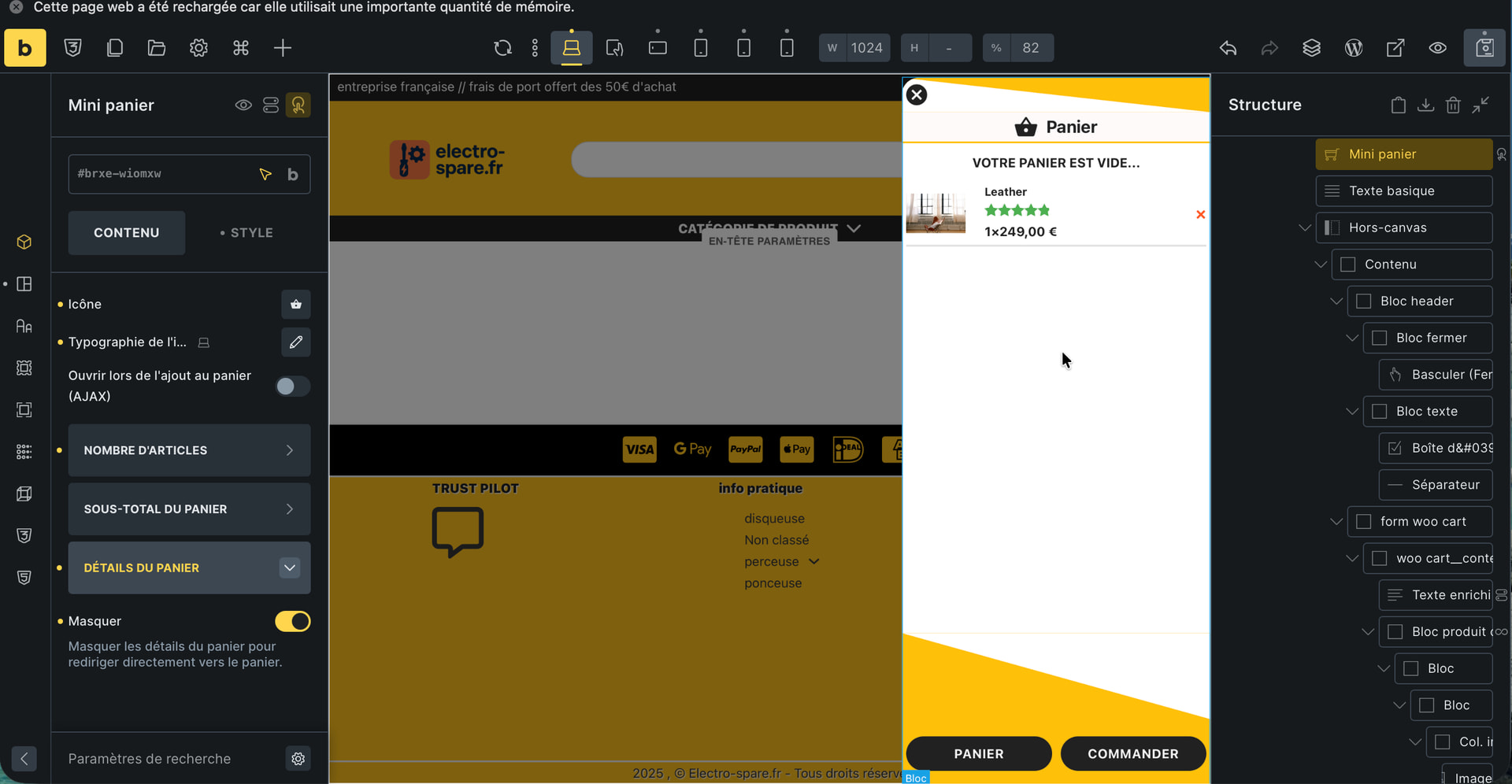
To do this, I disabled AJAX and hid the cart details in the “mini cart” element.
Then I added an off-canvas element and two interactions to the mini cart: one that opens the off-canvas element when a product is added, and the other that opens the canvas when I click on the mini cart.
-
The problem is that when I add products, the off-canvas element opens, but since the page isn’t refreshed, the “cart contents” query loop isn’t visible, and therefore the added products aren’t shown in the mini cart.
-
There’s no dynamic data that returns the quantity (1, 2, 3, etc.) of a product in the cart.
I created a function to add this.
/**
* fonction Bricks Dynamic Tag: {es_cart_qty_x_price}
* affiche au format: 1×120€ (qty × unit price) le prix est la quantité dans le minicart
* Works only inside Bricks "Cart Contents" (wooCart) loop.
*/
add_filter('bricks/dynamic_tags_list', function ($tags) {
$tags[] = [
'name' => '{es_cart_qty_x_price}',
'label' => 'Cart item: qty×price',
'group' => 'WooCommerce',
];
return $tags;
});
function es_cart_qty_x_price_value() {
if (!function_exists('WC') || !WC()->cart) {
return '';
}
$loop_object_type = \Bricks\Query::is_looping() ? \Bricks\Query::get_query_object_type() : false;
if ($loop_object_type !== 'wooCart') {
return '';
}
$cart_item = \Bricks\Query::get_loop_object();
if (!is_array($cart_item)) {
return '';
}
$cart_item_key = $cart_item['key'] ?? '';
$_product = $cart_item['data'] ?? null;
$qty = isset($cart_item['quantity']) ? (int) $cart_item['quantity'] : 0;
if (!$_product || !$cart_item_key || $qty <= 0) {
return '';
}
// Unit price (same approach as WooCommerce mini-cart template)
$product_price = apply_filters(
'woocommerce_cart_item_price',
WC()->cart->get_product_price($_product),
$cart_item,
$cart_item_key
);
// Change "×" to "x" if you prefer: $qty . 'x' . $product_price
return '<span class="quantity">' . $qty . '×' . $product_price . '</span>';
}
add_filter('bricks/dynamic_data/render_tag', function ($tag, $post, $context = 'text') {
if ($tag !== 'es_cart_qty_x_price') {
return $tag;
}
return es_cart_qty_x_price_value();
}, 20, 3);
$render_cb = function ($content, $post, $context = 'text') {
if (strpos($content, '{es_cart_qty_x_price}') === false) {
return $content;
}
return str_replace('{es_cart_qty_x_price}', es_cart_qty_x_price_value(), $content);
};
add_filter('bricks/dynamic_data/render_content', $render_cb, 20, 3);
add_filter('bricks/frontend/render_data', $render_cb, 20, 2);
-
A display condition is missing because when the cart is empty, I would like the text “Empty cart” to be displayed.
-
If we try to use {woo_cart_quantity}, it’s not AJAX-enabled and doesn’t update the mini-cart.
Ultimately, wouldn’t it be best to modify the default display of the mini-cart details?
Would we need a new “mini-cart content” template that modifies the default display of the mini-cart?