Hi Bricks Community,
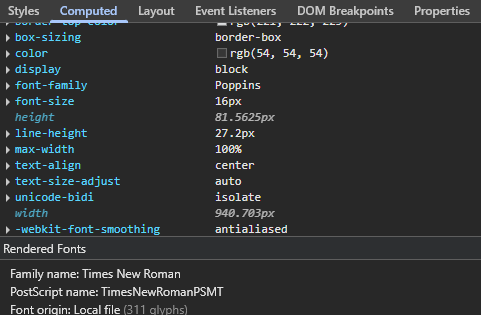
I am experiencing a persistent issue with custom fonts on my website. I have uploaded my fonts directly through the Bricks Custom Fonts manager, and they work perfectly when I am logged in as an administrator. However, when I visit the site in Incognito mode or as a logged-out user, the fonts fail to load and revert to default system fonts (like Times New Roman).
What I’ve tried so far:
-
Checked for Mixed Content (everything is on HTTPS).
-
Regenerated CSS files in Bricks settings.
-
Switched between Inline and External CSS loading methods.
-
Cleared all server-side and plugin cache.
Has anyone encountered this before? Any help would be appreciated!