Hi,
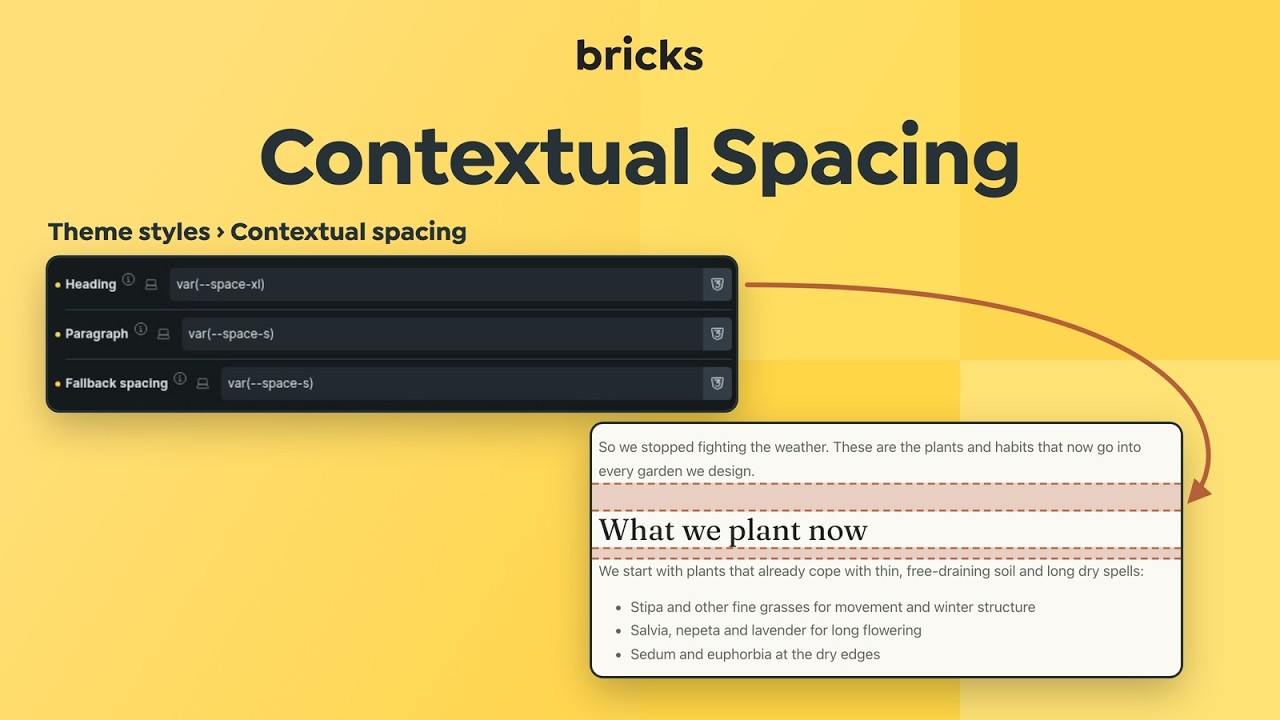
While working with Contextual Spacing in Theme Styles, I noticed an important architectural limitation regarding :first-child elements (specifically unordered lists), as well as a minor CSS generation bug when using unitless “0”. Here is the complete breakdown:
1. Test Environment Setup:
To observe margins and list indentation clearly:
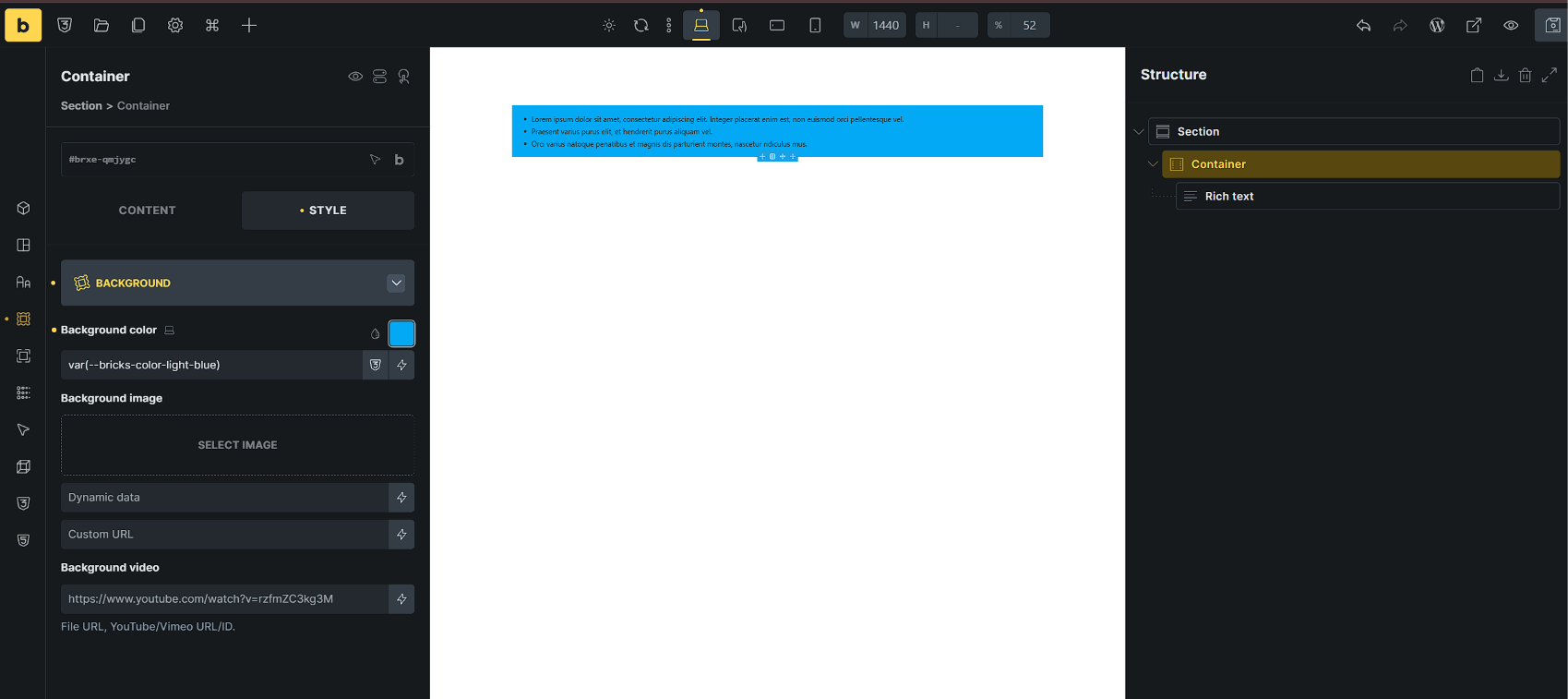
- Created a Section > Container with a distinct background color (Figure 1).
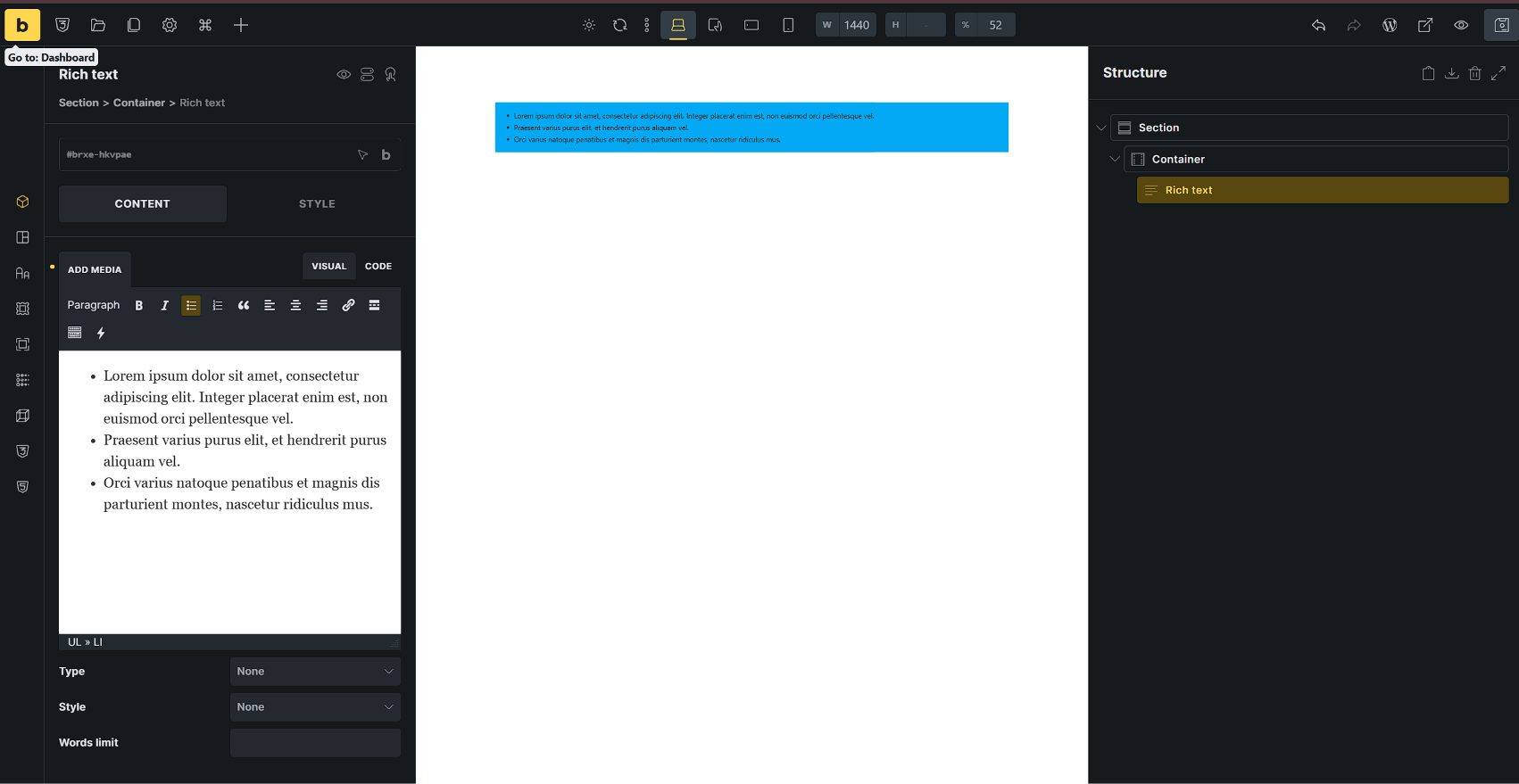
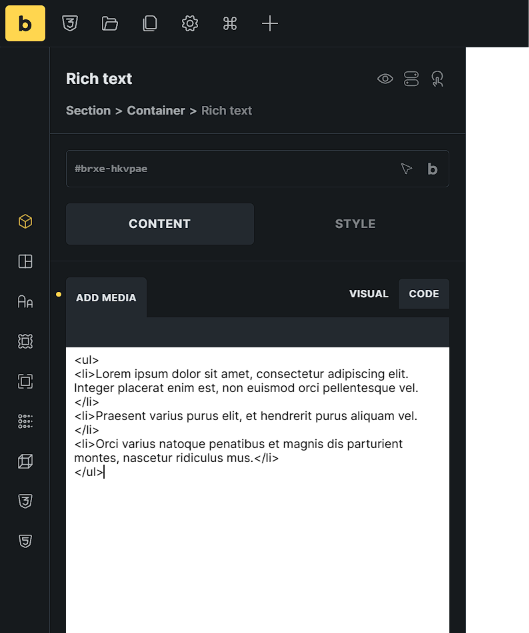
- Added a Rich Text element containing an unordered list (…), verified in Visual mode (Figure 2) and Code mode (Figure 3).
2. Contextual Spacing Configuration:
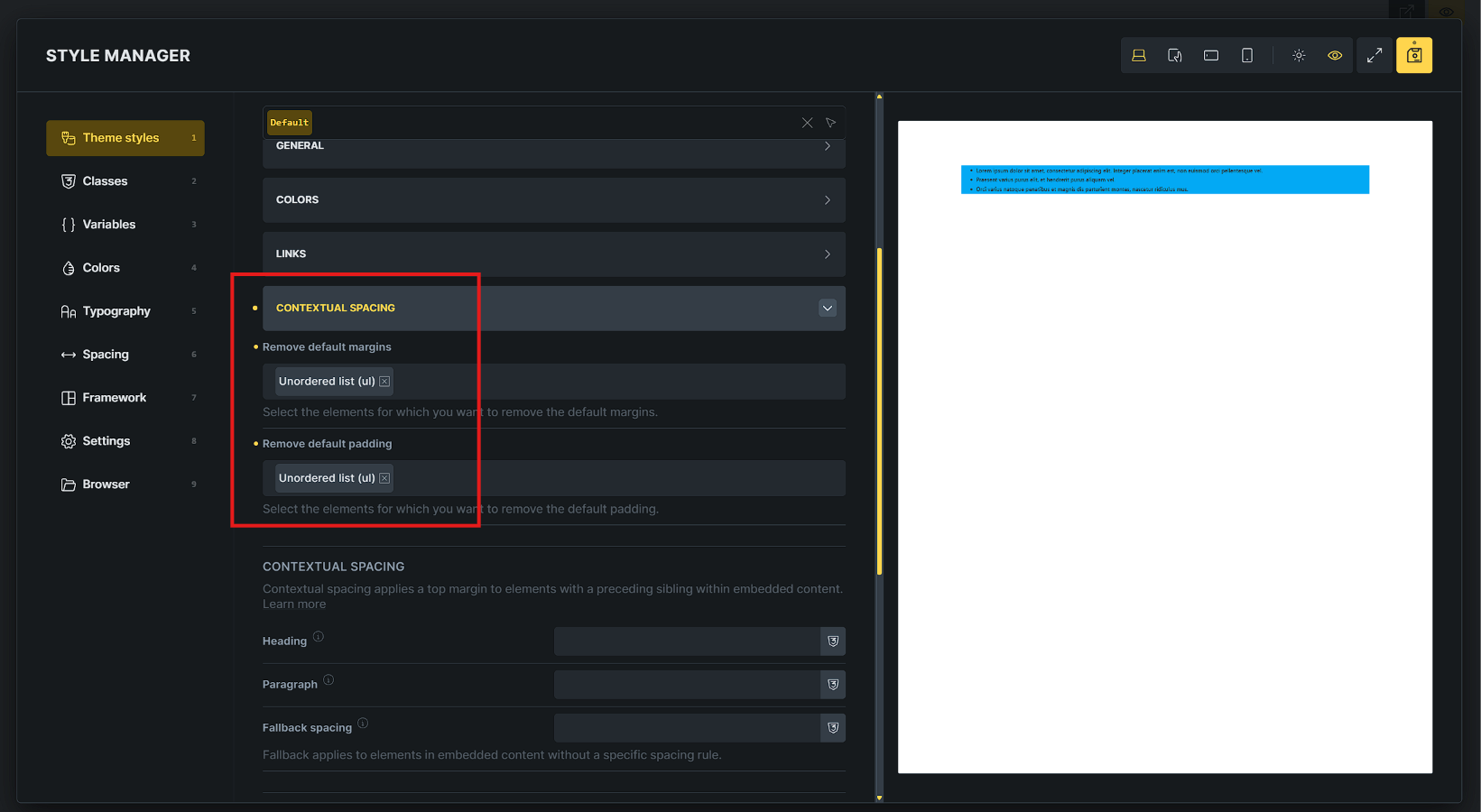
Under Style Manager > Theme Styles > CONTEXTUAL SPACING:
- Remove default margins: Checked Unordered list (ul).
- Remove default padding: Checked Unordered list (ul) (Figure 4).
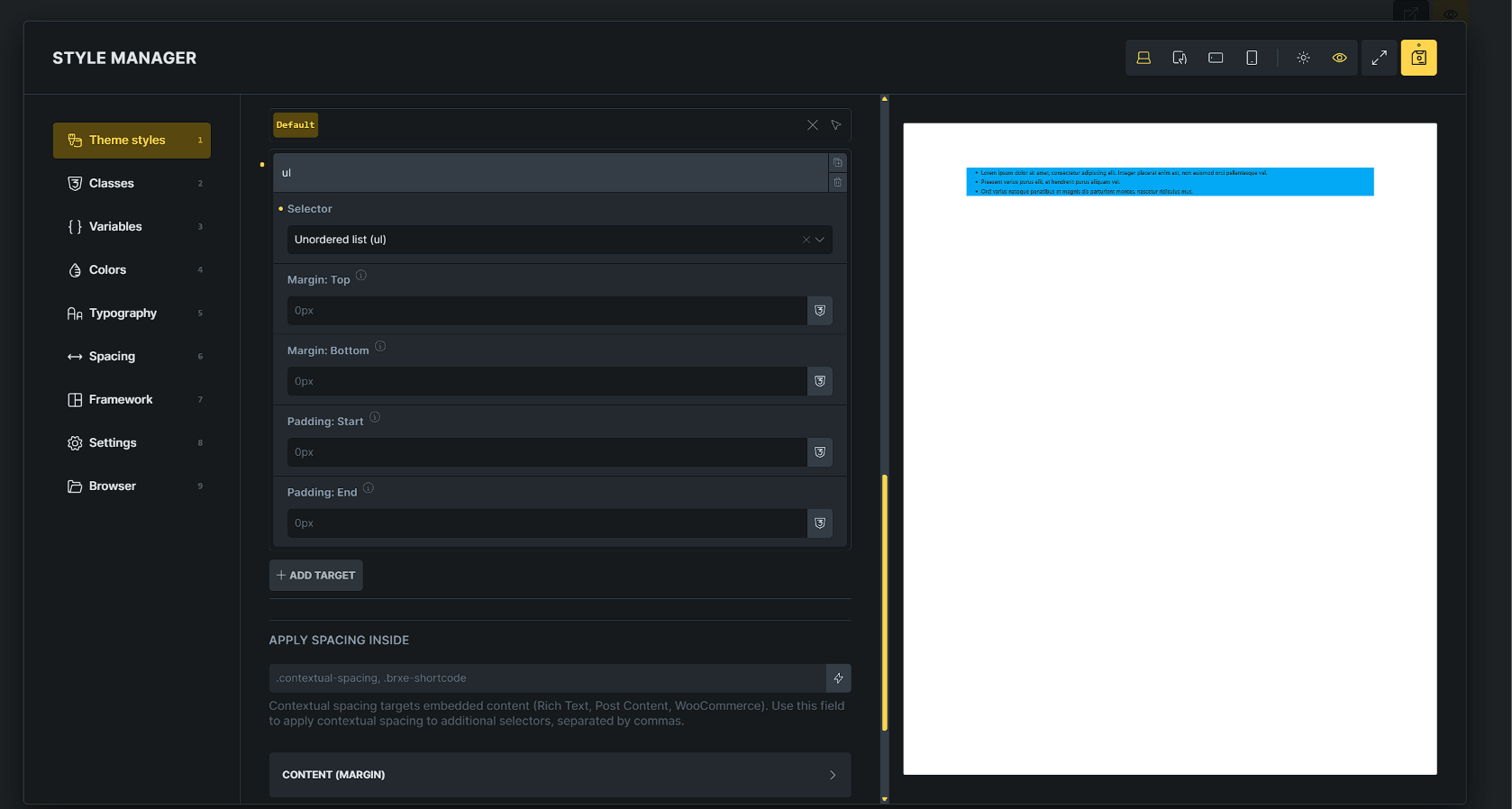
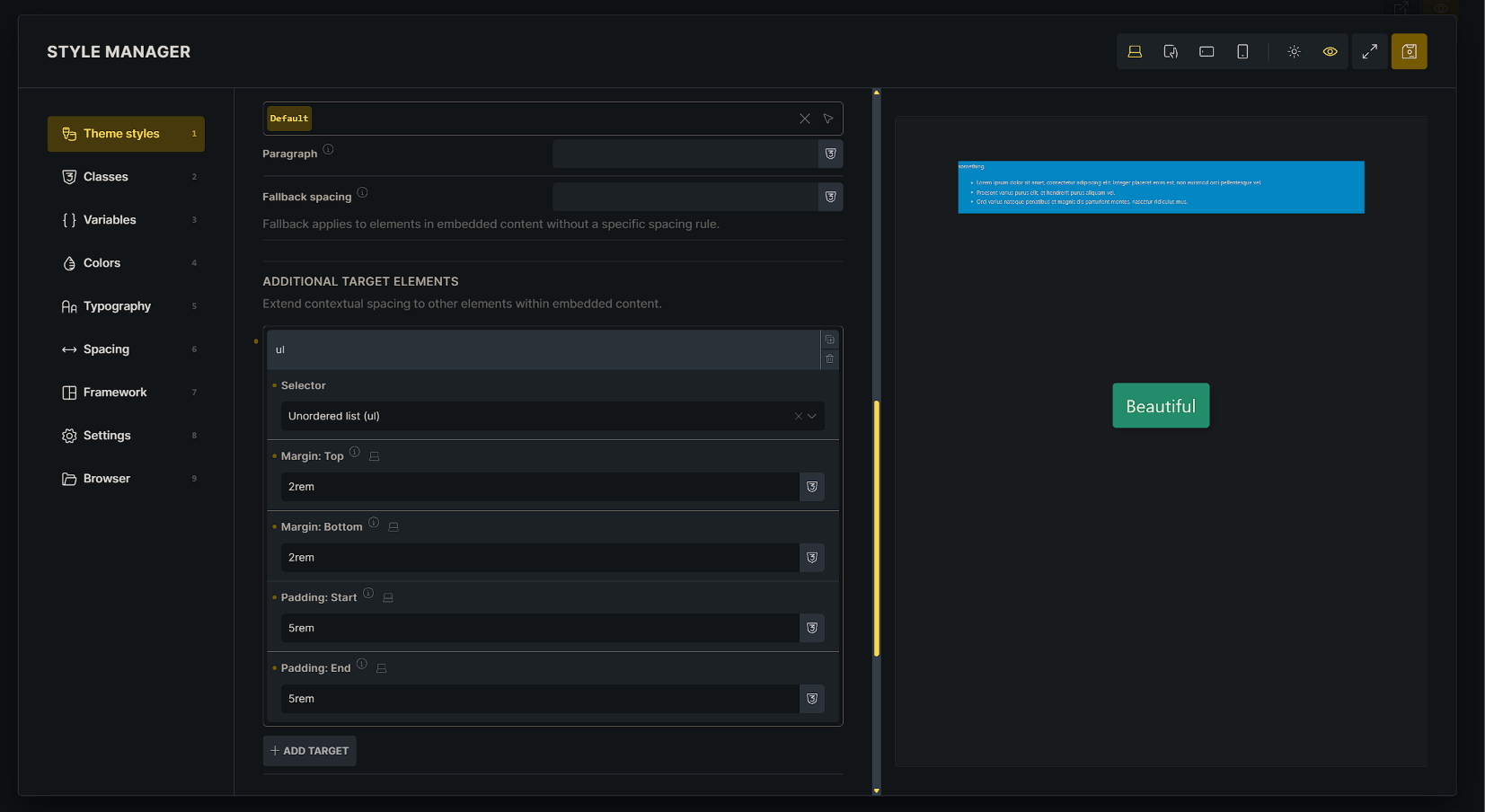
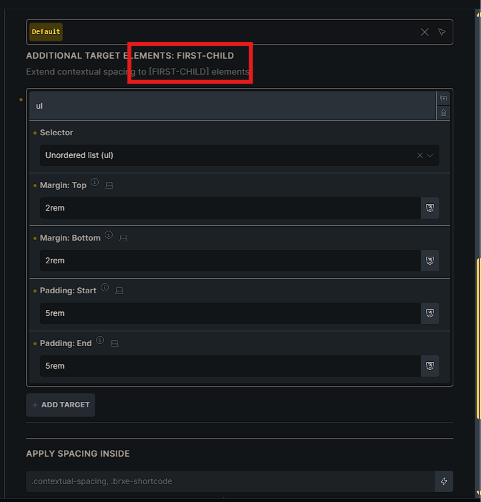
- Under ADDITIONAL TARGET ELEMENTS, added a target rule for Unordered list (ul) (Figure 5 + 6).
3. Real-world Breakdown: Y-axis is correct, but X-axis is stripped on :first-child
In a Rich Text element (whether it starts with a single or multiple sequential tags), there is a clear distinction between vertical and horizontal spacing:
3.1. Vertical Spacing (Y-axis: margin-block-start):
- Bricks is currently doing this completely right.
- The first child should NOT have top margin (margin-top: 0), preserving clean vertical rhythm without introducing unwanted double spacing against the parent container.
3.2. Horizontal Spacing (X-axis: padding-inline-start):
- List indentation is an essential intrinsic property required to display bullet points properly.
- A list MUST have horizontal indentation regardless of whether it is the first, middle, or last element.
3.3. The Conflict with "* + :is(ul)":
- When enabling “Remove default padding”, Bricks outputs global “ul { padding: 0; }”, completely removing the browser’s default 40px indentation.
- When applying spacing in Additional Target Elements, Bricks couples both Y-axis (margin) and X-axis (padding) into the adjacent sibling selector: ".brxe-text * + :is(ul)".
Real-world Results:
- When preceded by a heading or text (e.g. something): The rule matches, applying both Y-axis (2rem) and X-axis (5rem) properly.
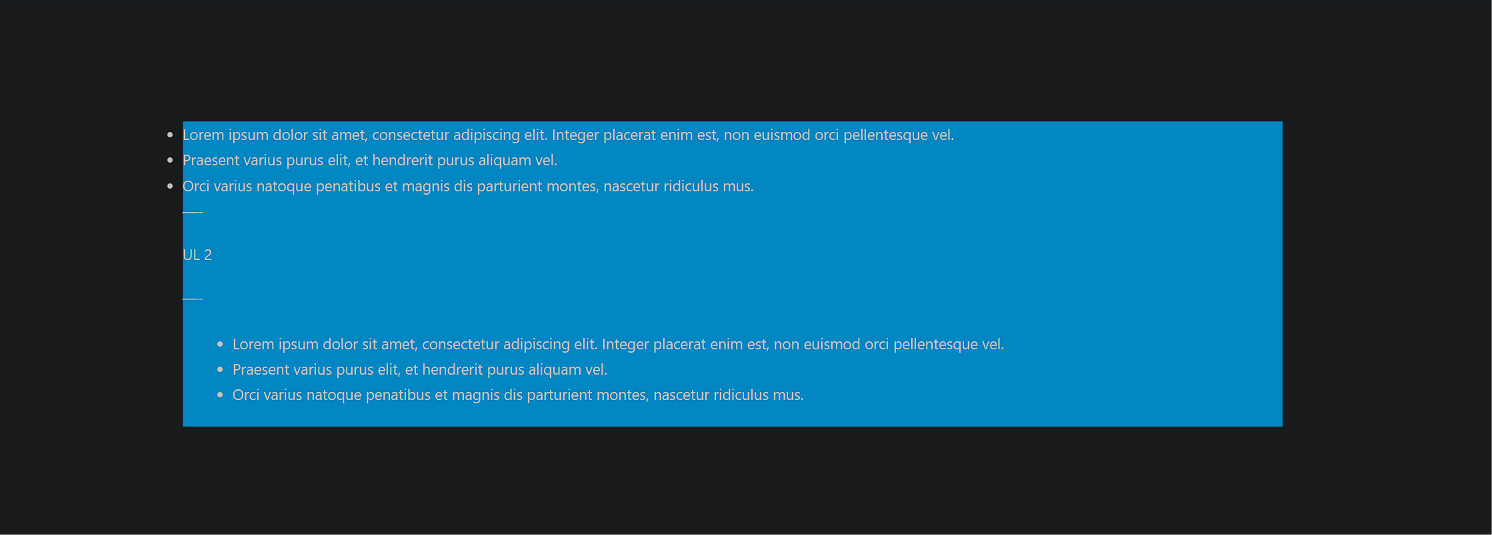
- When multiple tags follow each other: The first list has no preceding sibling and fails to match; only subsequent lists match.
- When is the top-level element (:first-child): It has no preceding sibling, so “* + :is(ul)” refuses to match. The Y-axis having 0 margin is correct, but the X-axis is completely stripped as well! Bullet points stick directly against or overflow the container edge with zero indentation.
Code of rich-text:
<ul>
<li>Lorem ipsum dolor sit amet, consectetur adipiscing elit. Integer placerat enim est, non euismod orci pellentesque vel.</li>
<li>Praesent varius purus elit, et hendrerit purus aliquam vel.</li>
<li>Orci varius natoque penatibus et magnis dis parturient montes, nascetur ridiculus mus.</li>
</ul>
----
<p>UL 2</p>
----
<ul>
<li>Lorem ipsum dolor sit amet, consectetur adipiscing elit. Integer placerat enim est, non euismod orci pellentesque vel.</li>
<li>Praesent varius purus elit, et hendrerit purus aliquam vel.</li>
<li>Orci varius natoque penatibus et magnis dis parturient montes, nascetur ridiculus mus.</li>
</ul>
4. Feature Request:
Provide dedicated controls for :first-child elements in Contextual Spacing:
- Provide dedicated :first-child controls for Target Elements in Contextual Spacing:
Allow users to configure distinct spacing (especially horizontal X-axis padding/indentation) whenever a target element is the first child within any container where Contextual Spacing is applied (Rich Text, Post Content, WooCommerce, or custom containers).
- This allows users to preserve the intentional Y-axis behavior (no unwanted top margin) while explicitly restoring the necessary X-axis indentation (padding-inline-start) for top-level lists, without breaking the adjacent sibling flow logic.
Current solution for me, create Custom CSS:
.brxe-text > :is(ul, ol):first-child {
    margin-block-start: 0;
    margin-block-end: 1em;
    padding-inline-start: 2rem;
    padding-inline-end: 0;
}

Thanks