Browser: Chrome 146.0.7680.178 (Official Build) (64-bit).
OS: Windows 11.
Bricks Builder: 2.3.1 / 2.3.2
Hi,
There is a visual inconsistency between the Content and Style tabs when default settings are modified (this applies to both Element ID and Global Classes).
-
Style Tab: Whenever a property is changed, an indicator dot appears on the tab header. The HTML structure correctly reflects this by adding a
<span class="indicator">element. -
Content Tab: When modifying settings such as HTML Tag, Flex configurations (Direction, Align), Grid settings, or any other functional controls, the Content tab fails to show the indicator dot. The
span.indicatorelement is completely missing from the DOM for this tab. -
Context: I agree that purely content-based changes (such as typing text into a Heading element) may not require an indicator dot on the tab itself.
However, the Content tab now includes numerous structural and visual settings such as: HTML Tag, Type, Style, Width, Height, Align, Color, Background, Spacing… (as shown in the attached screenshot). These are functional configurations, not just “content”.
When these properties are modified, the Content tab does not display an indicator dot, and the
span.indicatorelement is not generated in the DOM. This makes it difficult to track which elements have active customizations compared to the behavior of the Style tab.
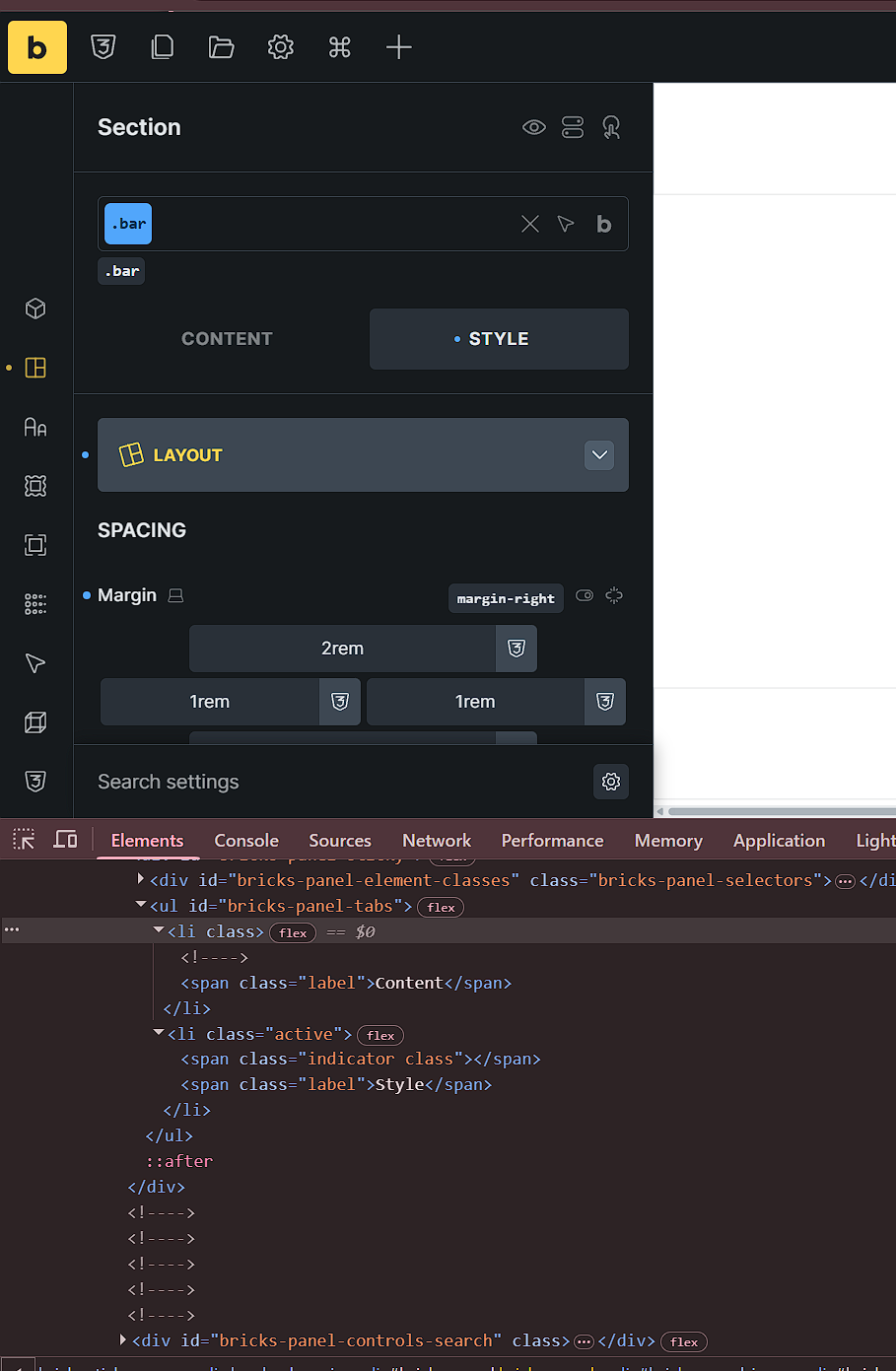

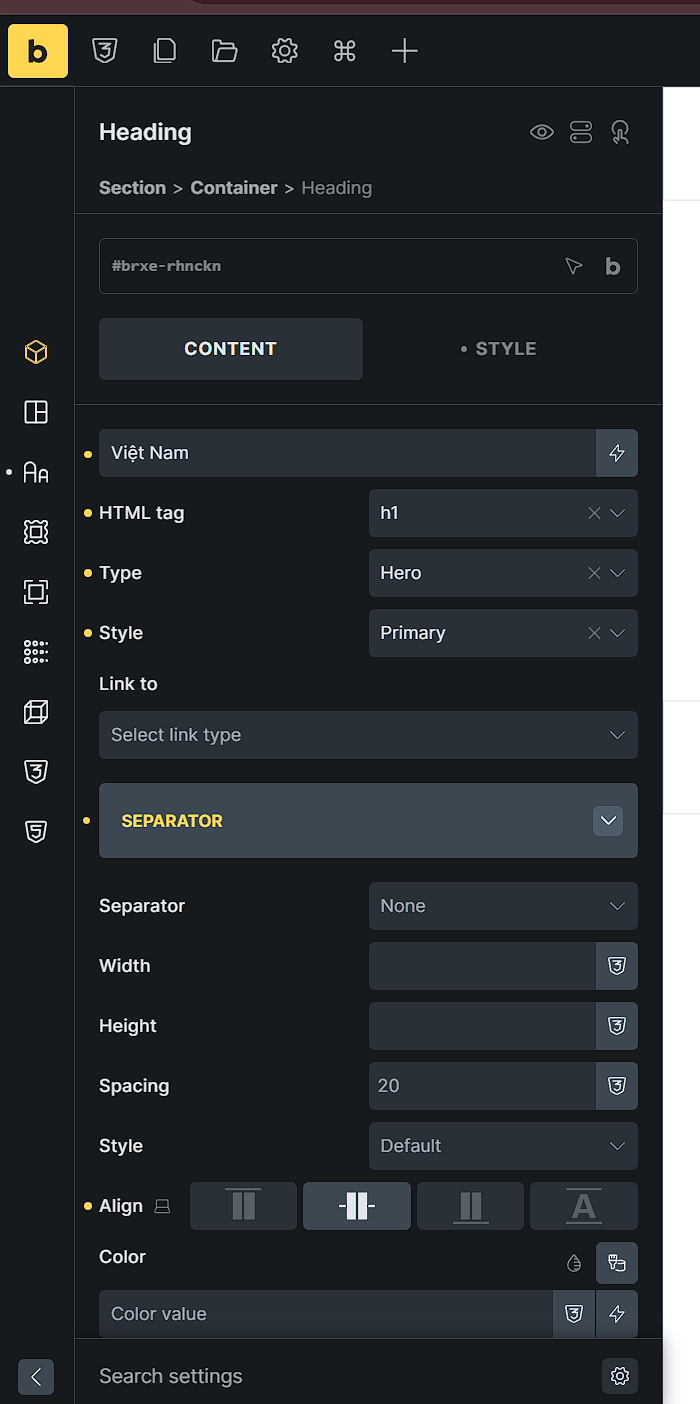
This lack of visual feedback makes it difficult to identify which tabs contain active customizations without clicking through each one. The Content tab should trigger the modified state indicator just like the Style tab does when any of its controls are changed from their default values.
Thanks

