I seem to be unable to create then connect a property within my component for a custom icon. All I’m looking to do is to create a component with three props, text, icon and link, with the icon being an svg file which can be browsed for.
The problem seems to be that if I create a prop of type “image” then I can connect this prop to an image element no problem, however it’s rendered as an image so no svg options (such as color or fill) have any effect.
If I create a prop of type “SVG” or “icon” then I’m unable to connect that property to one of those elements. An SVG element has the purple connect icon next to the “file” input but states that there are no connectable properties (I presume because we don’t have an SVG property type as yet).
If I try the same with an “icon” element then the only input with a connection icon is the “dynamic data” one and this will only let me select the “text” property. If I de-select “dynamic data” and pick SVG instead then there are again no connection icons to allow me to connect to the icon property.
So it looks like we currently can’t create a property of type SVG (to then connect to an SVG element) but neither can we create an icon property which can be connected to an Icon element set to SVG?
I’ve made a little progress here and have found that if I create a property of type “Icon” then insert an SVG element, if I then set the SOURCE to "Icon Set"then in the ICON SET input I can attach my SVG property.
So it looks like we need to set the item source first then assign the property?
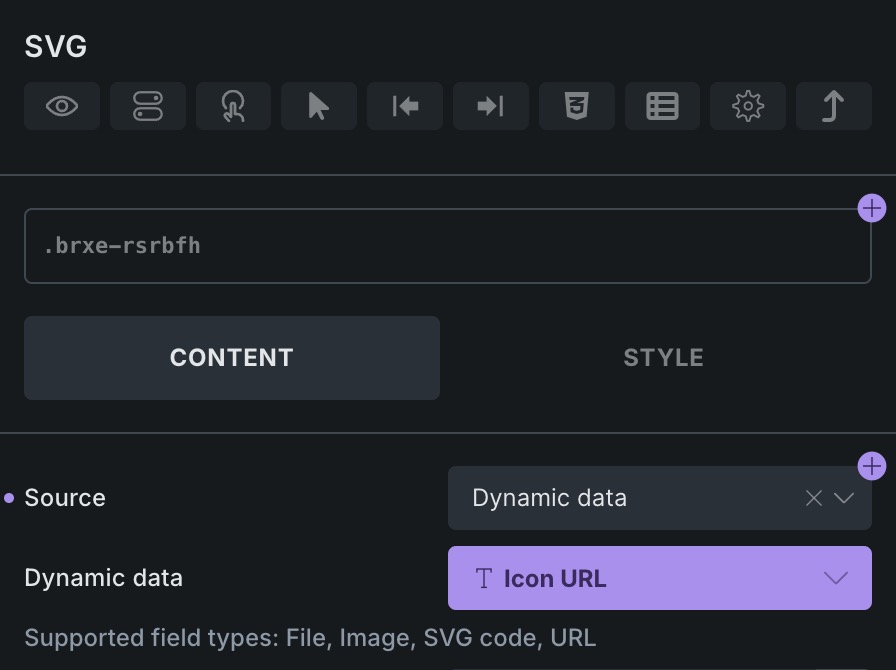
The problem we currently have is that if we use “Dynamic Data” as the source then it will only display Text fields even though the input itself states that it will accept more (file, SVG code, URL etc):
Please check my response, but basically, if you want to connect dynamic data to SVG, you can create Text property, connect it to SVG and there you can select your SVG dynamic tags.
Yes, Bugs category is the one that we actively overview every day. While we also answer the others, we prioritize the bugs one.
Apologies, i posted here as I didn’t want to presume the issue was a bug in the first place.
So just to clarify, if i use a text property to store the value of the SVG, what should I be entering into the SVG field - the full SVG code or a url path to the file?
No the SVG would still be picked via a dynamic tag but I was looking for clarification as to what value should be getting stored in the first place.
So if I have a custom field of “item_icon” which I can connect to that SVG property, should I be storing the path to the SVG file or the content of the SVG file in that custom field?