Hi everyone,
I previously shared the Code2Bricks plugin in the Facebook group and got some positive feedback. Posting here for those who might have missed it.
For context, Code2Bricks started as a free web app that converts HTML/CSS/JS to Bricks structure. Many of you requested a native plugin version, so I built one that lives directly inside the builder with live, bidirectional editing.
What it does:
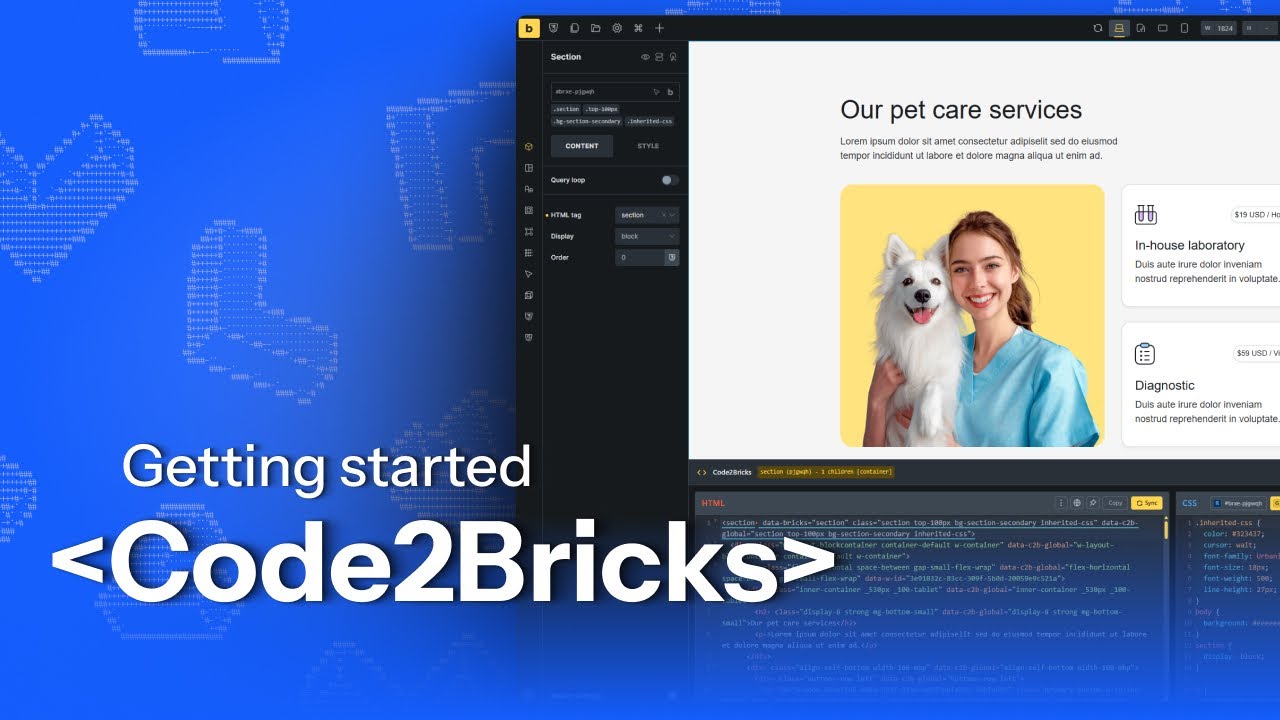
Real-time bidirectional sync. Edit HTML in Code2Bricks and the builder updates instantly. Change something in Bricks—add elements, edit text, rename classes—and the Code2Bricks editors update automatically. No copy-paste. Just live two-way editing.
Three editors in one panel. HTML editor for structure. CSS editor for styling with smart selector chips (Root, Global Classes, Element Classes). JavaScript editor that links to native Bricks Code elements.
Uses Bricks native storage. Everything stores exactly where Bricks stores it. Root CSS in _cssCustom. Global classes in the Bricks global system. JavaScript in proper Code elements. Deactivate the plugin and your work stays intact.
Pin mode. Lock the HTML editor to a specific element so you can click around the structure panel without losing your place.
BEM class generator. Select any container, click the BEM button, see a tree of suggested BEM-style class names. Edit them, choose global or element classes, apply all at once.
This plugin is a paid product. I’m still finalizing the pricing details and will share those soon. If you want to try the free version right now, the web app remains available and will stay free forever: https://code2bricks.netlify.app/
Why this matters: I know several of you have been requesting features like bidirectional CSS/HTML sync (there’s a popular thread about this from earlier). Code2Bricks fills that gap. It’s built for the way many of us actually want to work, visual when it makes sense, code when that’s faster, and seamless switching between both.
Looking forward to hearing your feedback and seeing how this fits into your workflows. Feel free to comment here or message me directly if you have questions.
Getting Started Video
I’ve put together a walkthrough showing how everything works: