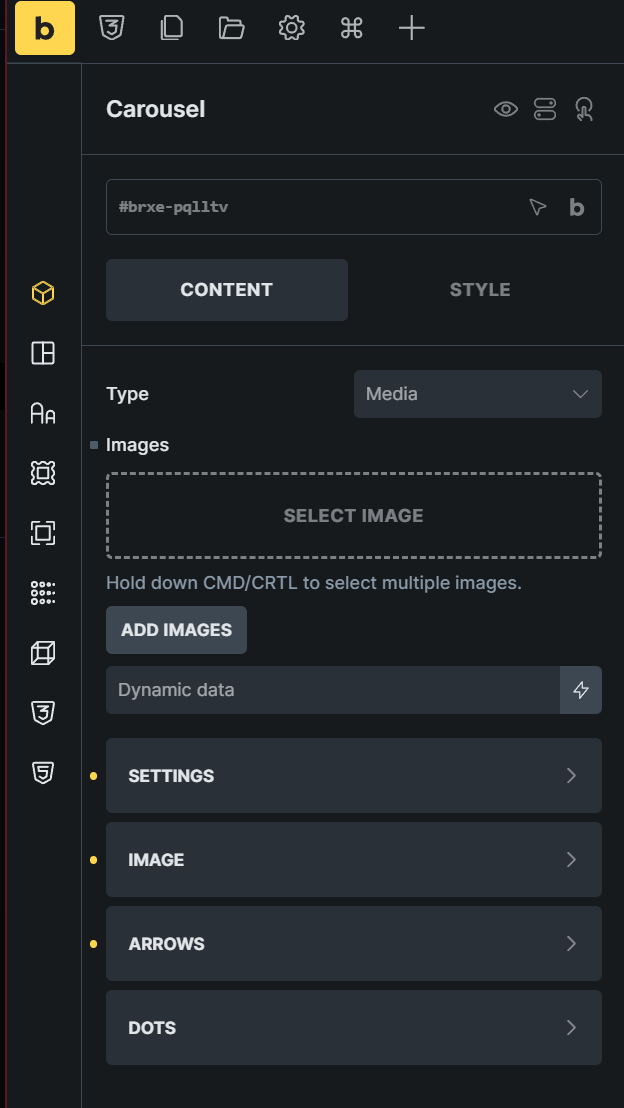
Hello, have a question on Carousel widget.
Is there a way to input custom url of images instead of clicking Add Images and using only the images uploaded in the Wordpress install?
Thank you.
Hello, have a question on Carousel widget.
Is there a way to input custom url of images instead of clicking Add Images and using only the images uploaded in the Wordpress install?
Thank you.
Hi Shay,
Welcome to the forum!
The Carousel element does not have a per-image custom URL input in the Add images control.
If the images are external, import/add them to the Media Library first. If the image set should be dynamic, use a supported gallery/image field via dynamic data that returns WordPress attachment IDs, then select that dynamic data tag in the Carousel Images control.
Hello @timmse , thanks for your reply!
Was having this question because I am using a multisite. Above screenshot is when I am using Bricks in a sub site.
The plan to have all the media uploaded in main site and sub sites can pull images via custom url.
So there is no way to paste custom urls (images uploaded in main site)?
Thank you.
Correct, there is no direct field in the Carousel element to paste custom image URLs for each slide.
The Carousel Images control expects images from the current site’s WordPress Media Library, or supported dynamic gallery/image data that resolves to WordPress attachment IDs for that site. In a multisite setup, media libraries are separate per site, so images uploaded only to the main site are not available as selectable subsite attachments just because their file URLs are accessible.
For this setup, the practical options are to add/import the images into the subsite Media Library, sync/share media across sites with a multisite media solution, or create your own “carousel” using the nestable slider element, in which you can add an image element that supports custom/external URLs.