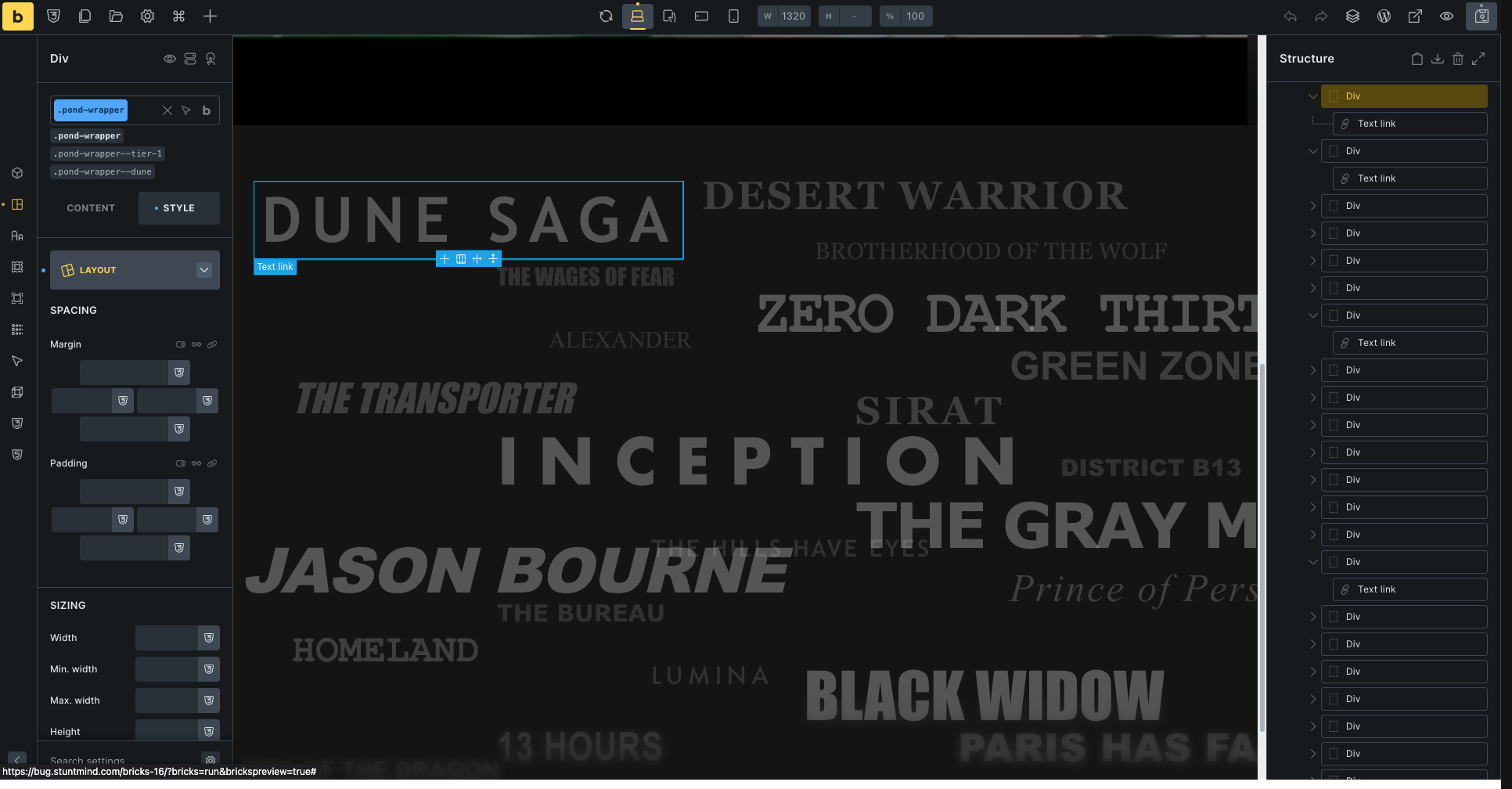
I’m running into a frustrating canvas UI issue in Bricks 2.3.4 and could use some advice.
I’m building a cinematic section with movie titles randomly scattered around the screen. I want to use my mouse to visually drag and drop them into position on the canvas.
My Structure (Strict BEM):
-
Section (
position: relative)-
Div Wrapper (
position: absolute)- Text Link (
pointer-events: none)
- Text Link (
-
Because my Absolute Div Wrapper is wrapped tightly around the text link, Bricks constantly intercepts my mouse clicks:
-
If I click the center, it grabs the text link and triggers the yellow DOM Reordering line.
-
If I click the edges, it only gives me the Resize Arrows.
-
I cannot isolate the tiny top-left Absolute Positioning Crosshair to actually move the coordinates.
What I’ve Tried:
-
Adding 50px of padding and a background color to the wrapper to create a “safe click zone” (still finicky).
-
Selecting the element in the Structure Panel first (still triggers resize/text edit on the canvas).
-
I know I can type the coordinates manually in the panel, but doing this for 20+ items is incredibly tedious compared to just using the mouse.
Is there a hotkey to force Bricks to grab the absolute positioning handle? Or is there a way to temporarily lock DOM reordering so I can freely drag my absolute boxes around the canvas? Is it even possible?
Thanks