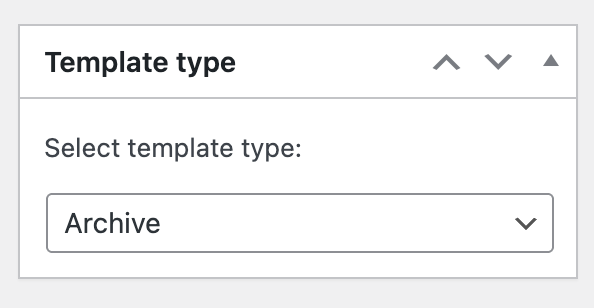
I’m having some trouble understanding how Bricks handles templates for the blog index and the front page, and I’d really appreciate some clarification or documentation.
Here’s my setup:
In WordPress → Settings → Reading:
Front page: a static page (“La Mitja”)
Posts page: “Noticias”
What I’m trying to achieve:
Customize the layout of the posts listing (blog index) using Bricks
Keep my static front page editable normally with Bricks
The issue:
When I create a template with conditions like “Archive” or “All archives”, it doesn’t seem to affect the posts page as expected
In some cases, templates override my front page, and I end up seeing the posts instead of my static page
I’m confused about when to use:
Front page
Post archive
Archive (all archives)
Questions:
What is the correct condition to target the blog index (posts page) in Bricks?
How does Bricks differentiate between “Front page” and the “Posts page”?
Is there any official documentation that clearly explains this hierarchy and behavior?
I feel like I’m missing something fundamental about how Bricks maps WordPress templates (home.php, archive.php, etc.) to its own conditions.
Any help or pointers to documentation would be greatly appreciated
If you’ve set the homepage in the WordPress settings, and a different page for your posts/blog, you don’t need to make any distinctions. You can edit it (the homepage) directly and don’t actually need a template. However, if you want to use a template for this as well, it’s a “single” template, and the condition is “Individual » Your Homepage.”
The Academy includes some basic “getting started” information about templates. Overall, we try to adhere to the WordPress template hierarchy as much as possible.
That could be due to incorrectly set template types, “wrong” conditions, or a combination of both—but it’s hard to say without knowing the specific cases.
Please let me know if you have any further questions or need clarification
a) Without a template: Create a page in WordPress, edit it directly with Bricks, and set it as the “static” homepage in the WordPress settings.
b) With a template: Create a page in WordPress without editing it directly, create a type archive template, add the condition Archive » Post Type » Post + Individual » Select the page to which it should apply (the homepage), and set the page in the WordPress settings as your “static” homepage.
c) With a template, but without creating a separate page: Create a type archive template, add the condition Archive » Frontpage and set “Your homepage displays Your latest posts” in the WordPress reading settings.
I briefly tested all three options, and each one works for me.