I’m disabling WooCommerce and CheckoutWC thumbnails so they are not generated on upload. I’m using this code:
add_filter( 'intermediate_image_sizes_advanced', function( $sizes ) {

    unset( $sizes['woocommerce_thumbnail'] );
    unset( $sizes['woocommerce_single'] );
    unset( $sizes['woocommerce_gallery_thumbnail'] );
    unset( $sizes['shop_catalog'] );
    unset( $sizes['shop_single'] );
    unset( $sizes['shop_thumbnail'] );

    unset( $sizes['cfw_cart_thumb'] );
    unset( $sizes['cfw_order_bump_thumb'] );

    return $sizes;
}, 999 );

add_filter( 'woocommerce_background_image_regeneration', '__return_false' );
This works in the sense that WordPress no longer generates those image sizes.
However, in Bricks Builder (image element), the resolution/size dropdown still shows the WooCommerce / CheckoutWC image size options.
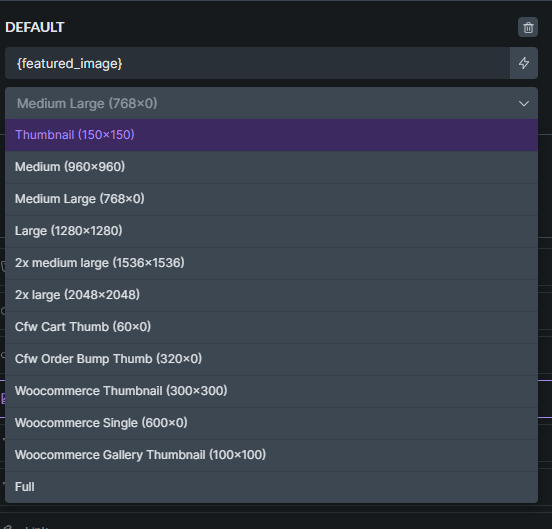
How can I disable the selection options if the images do not exist at all?