Bricks caching a CPT? How do I update it?

I added one word in a ACF CPT from ‘decades’ to ‘many decades’ but in Bricks (And the frontend) the word still says ‘decades’ and I don’t know how to get it to update it.

I have a mini FAQ on the home page that picked up on the change though and both populate from the same CPT.
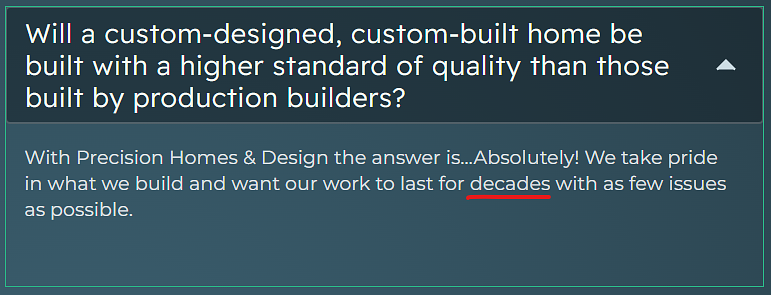
Where I’m at so far:

- I’m using Cloudflare Dev Mode on Cloudflare Free

  • There is no object caching.
  • There is no caching plugin enabled.
  • WordPress does not have caching enabled in the config.
  • I’ve manually deleted the contents of the cache folder.
  • I’ve enabled and disabled cache query loops in Bricks.
  • I’ve disabled the FAQ post type in Bricks, saved, and reenabled.
  • I’ve regenerated CSS files.
  • I’ve disabled, reenabled Query Filters
  • I’ve regenerated the query filter index.
  • I’ve removed transients from the database.
  • I’ve disabled the query loop, saved, and reenabled.
  • I’ve made changes to the query to target something else and switched it back.

What’s next?

So, I made a template out of it, deleted the original section, and added it back in from my template. That forced an update to the whatever.

I’d still like to know why this was a thing if anybody knows the answer.

This usually still related to the cache mechanism issue.

Maybe you have certain server side cache setup that you not realize? Like varnish cache etc.

You can also try add some dummy parameters in your URL to force new HTML fetch from the server.
(Example: xxxxx/?t=7412848941) If doing this can get the latest updated content, then it’s100% related to your cache setup.

Regards,

Jenn

1 Like

This one is on Hostinger, no object cache, just basic server side cache. I logged into Hostinger, cleared cache, waited, still no change. I also tried cache busting, but no worky.

Only by creating the template and adding it back in was I able to get the updated CPT.

So, there you have it . . . A mystery.