Auto-suggest CSS variable as typing in Stylesheet

Hi Bricks team,

When writing custom code in the stylesheet, CSS variables can only be added via the variable picker icon currently.

It would be much more efficient if available CSS variables were automatically suggested as we type, allowing for a faster and more seamless styling workflow.

What do you think?

11 Likes

Definitely! ACSS converts --variable-name; into var(–variable-name); once you type the ; and it saves a lot of time

5 Likes

Yes, please. We need an easier way to write CSS and use variables (including colors).

2 Likes

I would add that it should also be implemented in the Custom CSS panel of the elements not just in the Stylesheet

1 Like

As long as it’s still in the editor, yes. It should be implemented.

1 Like

We’ve addressed this in Bricks 2.4-beta (beta release), now available for manual download from your Bricks account.

Please read the changelog entry before testing, and let us know if you experience any issues. Note: beta builds are not recommended for production sites.
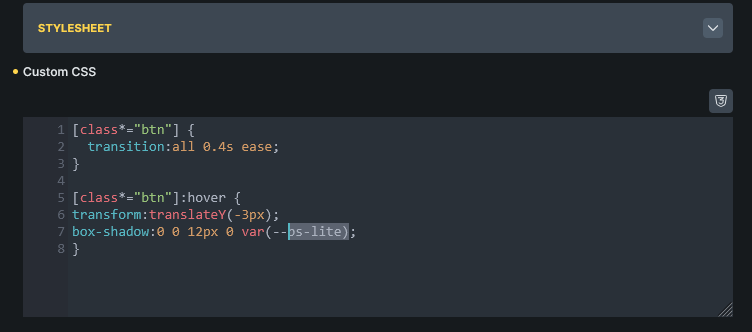
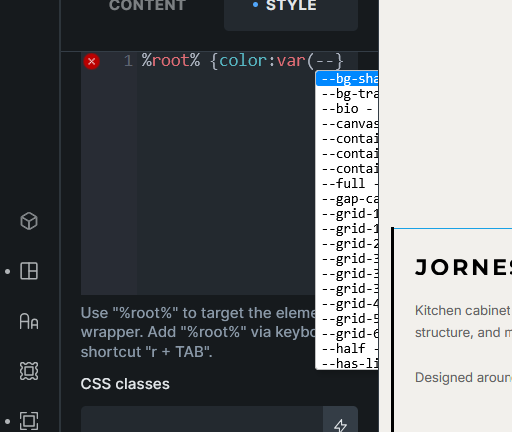
Awesome! That’s really handy.

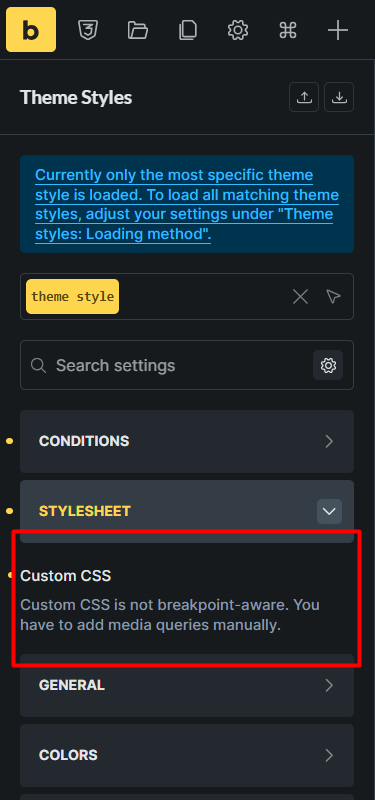
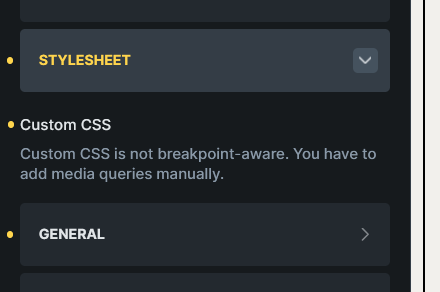
Here I noticed something can be improved.

It is partially hidden.

Unless I expand the panel.

Hey @jornes,

thanks for report. We will respond in the following topic, once the issue is solved:

Best regards,
Matej

1 Like

We’ve addressed this in Bricks 2.4-beta2 (beta release), now available for manual download from your Bricks account.

Please read the changelog entry before testing, and let us know if you experience any issues. Note: beta builds are not recommended for production sites.


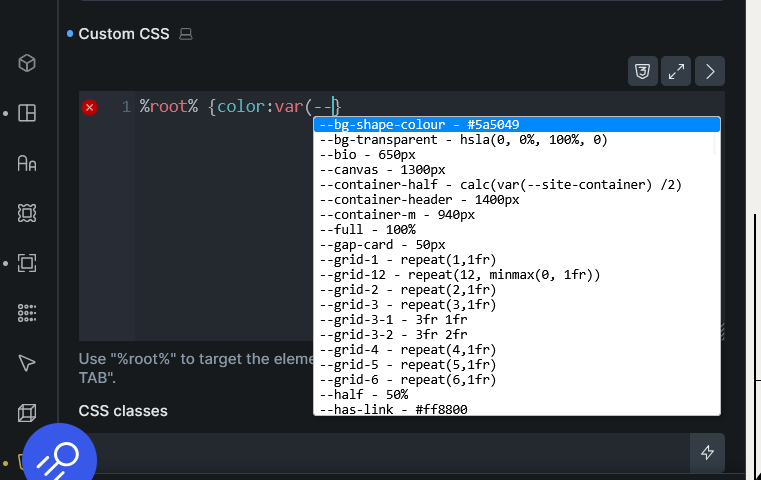
In the beta 2, the custom CSS text box is hiding.

Hey @jornes,

is this on a specific element or you don’t see “Custom CSS” input at all? Because I can’t replicate the issue :frowning:

Best regards,
Matej

The same is also with the code element

Do you see any console log errors?

I had the same issue, but I Crtl+Shift+R and it’s gone !!

This doesnt work with the “pinned CSS tab”.

Hi Matej, I’ve disabled all the plugins but still the same persists.

I will open with different browsers to see.

This happened to me too but it’s fixed now. I’m not sure what happened.

I noticed this too in my firefox dev.