Are Window Storage Interaction Broken or do they even work?
Can’t find much details, I even used ai to try and set the window.isMobile storage variable.
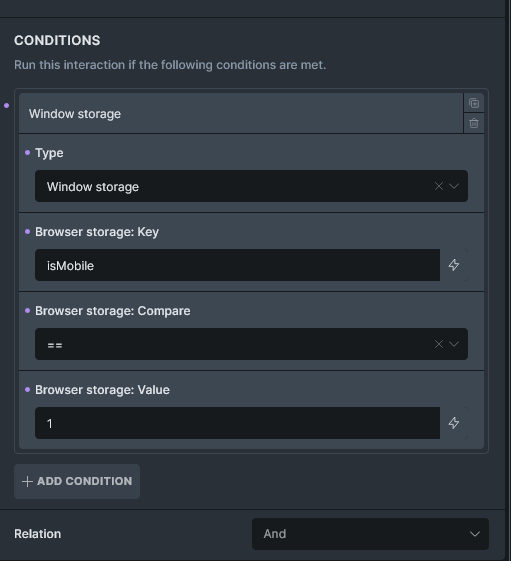
I can’t find any more information, seems vague how to get this to work properly. I need one interaction for mobile and desktop the other interaction will just be click prevent default.
Any ideas? Or insight?
———————
<script>
(() => {
  const mql = window.matchMedia('(max-width: 767.98px)');

  const apply = () => {
    window.isMobile = mql.matches;                   // still a real boolean if you want it
    document.documentElement.dataset.isMobileInteract = mql.matches ? '1' : '0';
    console.log('[isMobile]', window.isMobile);
  };

  apply();
  mql.addEventListener('change', apply);
})();
</script>
USE “1” or “0” not true/false
I don’t know why the bricksbuilder team doesn’t have something built in to handle breakpoint conditions for interactions by default!
ISSUE: Interaction if true (1), then apply the interaction. This is applied to an image that links to the post. If I remove the interaction, clicking the image will follow the anchor LINK. If I add the interaction, and set it to isMobile = 0, the interaction works on desktop. BUT on mobile the interaction should be disabled - OK, BUT then we should be able to just click the anchor LINK, but this is NOT the case. Why?