I’m failing to understand what I may be doing wrong here with this masonry setup. I set up a test of a master container for the Masonry, container blocks within that with a set height of 200px and 5px padding, and red blocks within those containers with 100% height and a background. This is what it looks like with the masonry block selected at default settings (3 column, 10px):
The gap is applied very oddly- never inbetween them, and always along the far right edge. If I crank it to a 30px gap:
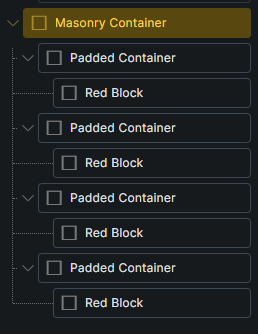
More of the same. This is the hierarchy I have setup:
Is this a bug? I saw this thread but the fix described here didn’t work for me. And unlike those users, my gap is always applied at the right edge rather than never at all. So I don’t know if this masonry bug applies to my setup or not.
Is this user error or something? Running 2.3.9
Works fine here, so not sure what is happening. But more context is required.
Are you using any additional plugins?
CSS Frameworks?
Any custom code?
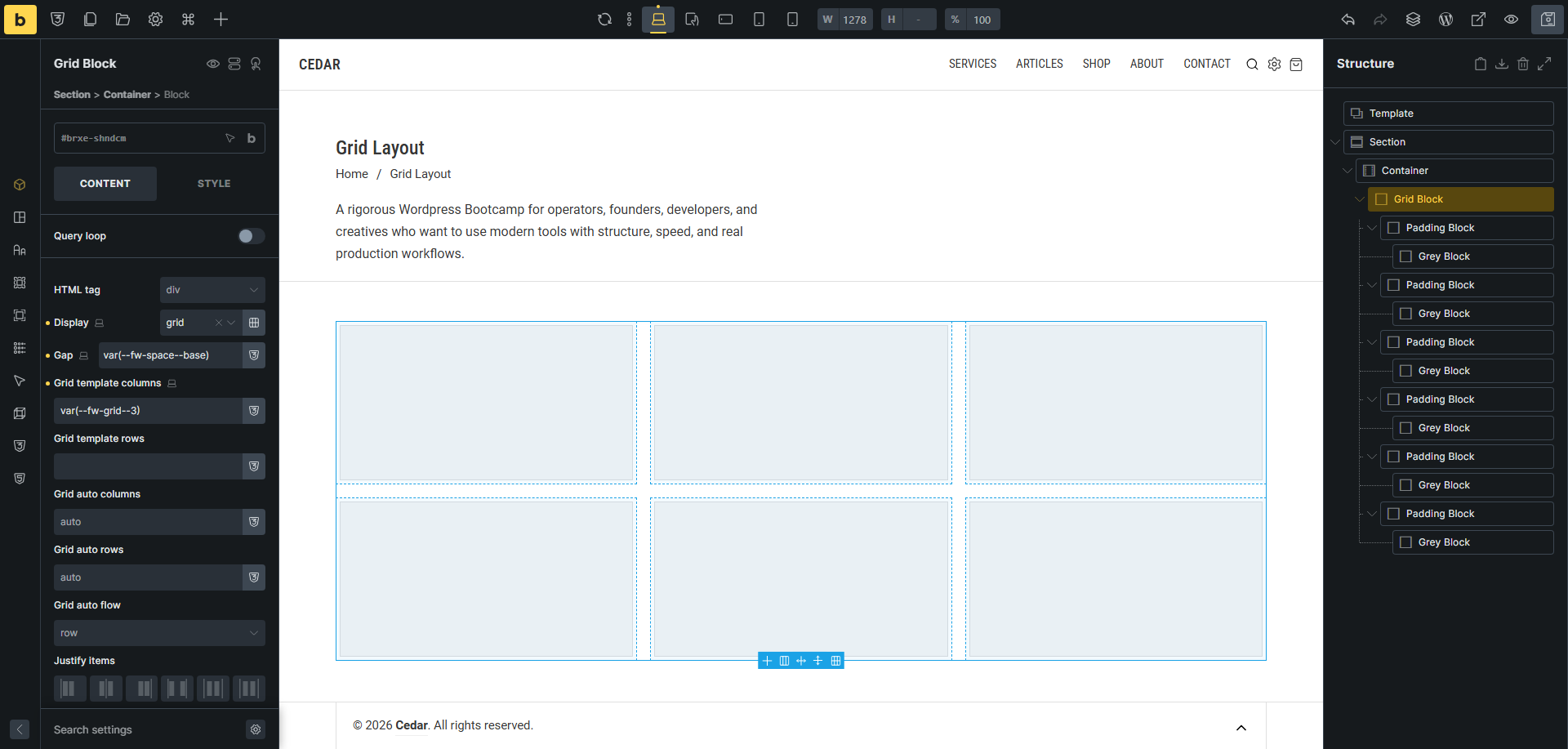
Can you show the setting on your grid layout and child elements?
Your image shows a CSS grid but I meant grid more colloquially- I’m using the Masonry option under the Layout settings.
shingen:
Are you using any additional plugins?
CSS Frameworks?
Any custom code?
Can you show the setting on your grid layout and child elements?
Yes, mostly woocommerce & other shop plugins
No CSS Frameworks
This is the only custom CSS, defined within the bricks settings
input {
  color: black
}

input::placeholder {
  color: gray
}

textarea {
  color: black
}

textarea::placeholder {
  color: gray
}

.woocommerce-order-details table tfoot {
  background-color: unset;
}

.woocommerce mark {
    color: var(--bricks-color-d9d217);
    background-color: rgba(0,0,0,0);
    padding: 0 2px;
}
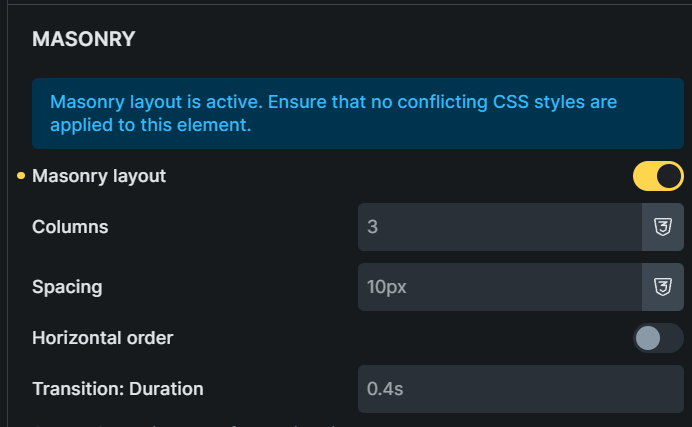
The elements you asked for, first for the masonry container (this is the only value changed)
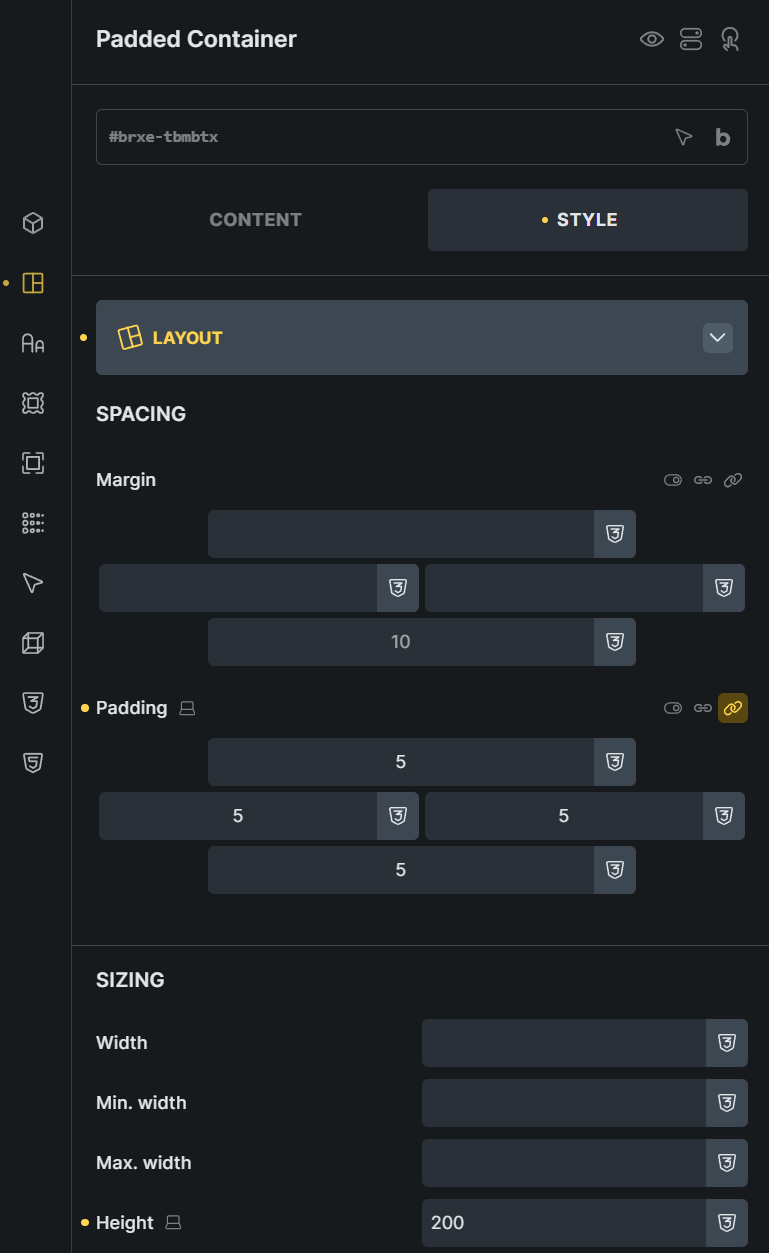
and then for its children padded containers
Ok, yes I see it now and it for sure is a bug. To be honest, not sure why that option is even there, as I would never build my grids in that fashion.
Sorry, can’t help you with this bug, hopefully the team can sort this out.
Quite the opposite, I appreciate you helping recreate the issue to make sure it wasn’t just something on my end
1 Like
Hopefully they can sort it out for you, as you are correct, there is something wonky donky going on with it. =]
2 Likes
Matt
July 26, 2026, 8:10am
7
Also have noticed Masonry gallery not working in Bricks 2.3.9 works in 2.3.8
1 Like
wplit
July 26, 2026, 11:17pm
8
This is fixed in the new 2.4 beta, so it must already be a known issue.
1 Like
Ask for a patch and ye shall receive. Thanks Bricks team!
1 Like



 thanks a ton!