I am using Bricks Builder with Frames and ACSS as add-ons to build websites. I am pretty new to it, but I am getting better at it with each website and video I watch! I am also not a coder.
We have a website up and running and need to add a conversation tracking code (specifically from LinkedIn) to a button element. I am wondering how others do this and what you have found to be the best process or tool stack to do so. I have read this academy article, but I am seeking a bit more specific direction.
My business partner brings more of the digital marketing expertise (tracking, etc.), but neither of us are coders.
Thank you!
yes custom code bricks setting is correct place
that custom code areas loads the scripts on all pages
you can just copy paste your conversion tracking tag code thats it
Bricks > Settings > Custom Code > Body (header) scripts
if you guys combining the google tag manager with linkedin tracking thats a bit complicated there are some youtube tutorials for that check those if needed.
1 Like
Hi @sinanisler, thank you for your reply! I may not have explained enough, but I actually need the code to run on the element level (different codes for different buttons on one page), which it seems like might be different that what you described?
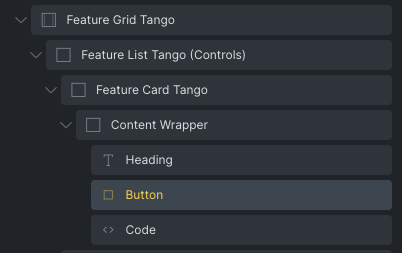
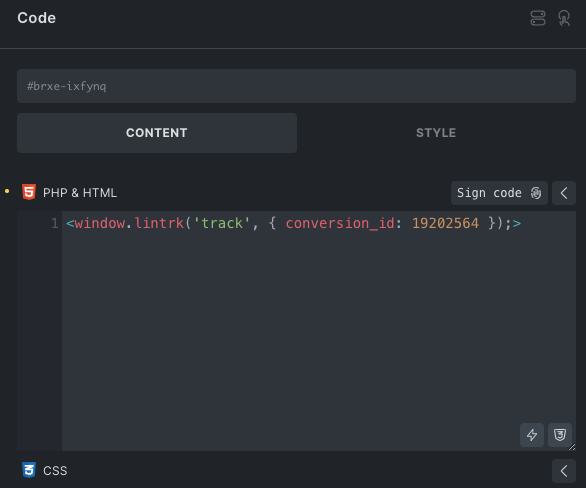
I tested one…and if it works I will do it to the other buttons on the page. Just worried it might not be great to have multiple running at once on a page. Here are a few screenshots for reference.
1 Like
didnt made multiple buttons same page conversions before O_O
I usualy only track one button click or form sent usualy and GA only