Accessing component properties in custom query (PHP)

I have a component (1.12 release) that I want to have a text property where people can enter comma separated post IDs into a text field called Post IDs and then use a query loop in the component to filter the returned posts to only match those IDs.
The standard query does not have the capability to do this so I turned to using a custom query (PHP) to do the job. The issue is that I need to access the component properties so that I can insert it into the following code:

return [
‘post_type’ => [‘post’, ‘article’, ‘video’, ‘audio’],
‘post__in’ => explode(‘,’, $settings[‘post_ids’]),
‘orderby’ => ‘post__in’,
‘posts_per_page’ => count($post_ids)
];

Some research said that Bricks uses a $setting array and that I could access the property values that way but the query is just returning posts whether they match or not.

Any thoughts?

Not sure if anyone missed this post. Would be great to get some feedback.

I have a very different use case, but I also need programmatic access to Component property text to dynamically create the links ‘tel:12345’ and mail-to link ‘mailto:mail@example.com’

At the moment I have to create two properties, a text and a link property, whereas the link property is redundant and access to the props like ‘tel:{prop_phone}’ and ‘mailto:{prop_mail}’ would solve that with two text properties.

I’m trying to do the same thing as Maexxx here. I thought it would be simple, but it seems more difficult than you’d expect. Is there a way to do this with one Property?

I have a completely different use case. I’d like to take properties from an accordion component and spit out the properties as FAQ schema to avoid having to use a separate plugin and do double data entry. Has anyone figured out how to do this? (Seems like “no” is the answer.)

So 12 months later and still nothing. This is pretty horrible. Bricks, please step up!

Translation: I am frustrated but finally worked out a solution. Thanks to those others that took the time to respond.

Scroll down for solution. Have popcorn ready.

Step up to what?

Perhaps if you’d bothered to put this in a category, maybe even the correct one, then someone might look at it.
It seems to be a Feature request, so follow the forum use and raise it there and even add it to the ideas list so others can vote on it.

if you want that much of a custom php edge case possibility you should just code your own custom element instead of complaining.

coding custom elements for bricks are very easy anyway..

btw you dont even talk about what you really trying to do you just asking very specific php possibility instead of that maybe show what you have and explain visualy what you need who knows you may get better solution and help


Hi.
What I am asking is not a feature request. I am asking for what to use to get access to fields that appear to be accessible to the developers but I cannot find the documentation on how to do this. I rarely complain and usually stand up for Bricks and their great work but after 12 months of asking Bricks through various channels, I have received no assistance. Apologies for getting frustrated.
What I am asking for is some sort of insight into how to integrate field data into custom PHP queries.
As for adding to a category, I thought I had but if you believe that placing this in a different category, which would you suggest?
Thank you for any assistance.

Thanks for your response.
I asked a few other people if my initial description provided enough Information and the answer was yes. I could have gone into more details but I have found that most people if it is more than a paragraph will not read it so I tried to keep it short and on point.
Sure I could go and write a custom component however that would be massively recreating the wheel when what I want is a single small part to something that Bricks can already do really well. The issue is constructing the query which Bricks excels at.
Additionally, while building custom components are easy for you, not everyone has your skill and probably do not have the time to learn this. I wish I did.

So, since you asked, here is a write-up with more information.

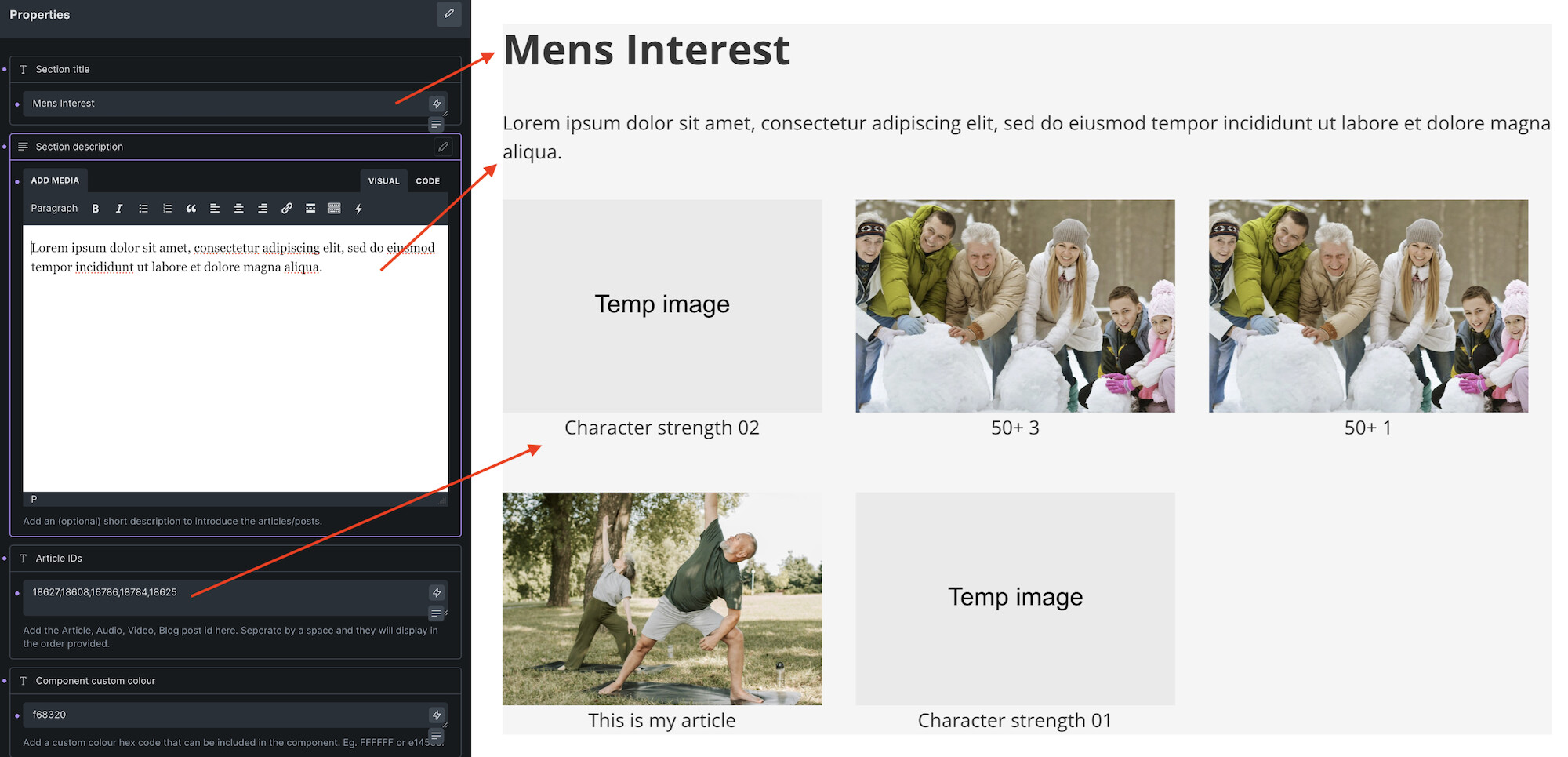
I have a component that I want to create. The idea is that I can have a query loop where my client can drag the component onto the canvas. When they then select the block/component they would see the filed to add their ids. eg. ‘1,2,3,4,5’.

I would then somehow access that information.
At this point, If I choose to use the bricks query builder, I have to bind the Article IDs field to a part of the query or it does not show when a person uses the block. I tried multiple times.

If I opt for using a custom PHP query (which I have a good understanding of), the field disappears and I am no longer binding it to a query attribute or property. I also need to know the means by which I can access the component fields. eg. $component[‘fields’][‘article_ids’] etc.
What is the syntax that Bricks uses? Also, if I have my label as Article ID’s, does it convert it to article_ids or does it leave it as is ‘Article IDs’ ?

Hopefully that paints more visually what you asked for. I have tried for hours and hours and have no luck. In the past, I have had similar issues with Bricks and when I finally saw the answer, it was right there all along. I’m more than happy to look like an idiot if I can find the answer to this and also help others in the process.

Personally, what I am hoping for is to learn how to access the field via. custom PHP query as I believe the answer is about half a dozen lines in the query rather than writing out an entire component (which as I said would be cool to know and I will probably try when/if I can get some spare time).

Thank you for your time and happy to accept any assistance if it is for offer.

Cheers.
Bricks Component: Querying Posts by ID - Solution

What I Was Trying to Do

I wanted to create a reusable Bricks component with a field where users could enter comma-separated post IDs (e.g., “123,456,789”), and have a query loop display those specific posts.

The Problem I Faced

Bricks doesn’t provide a straightforward way to query posts by their IDs through the component UI. The main issues were:

  1. Component fields only appear if they’re bound to something - You can’t just create a field and access it directly in a query

  2. No “Post IDs” or “Include by ID” field exists in the standard Bricks query interface

  3. Can’t use PHP Query Editor - Enabling it removes the field binding, so users can’t input the IDs

  4. Post IDs aren’t meta fields - They’re in the main wp_posts table, not wp_postmeta, so a standard meta query won’t work

The Workaround

The solution was to use a “fake” meta query as a bridge to access the component field data, then intercept and modify the query using a filter:

Component Setup:

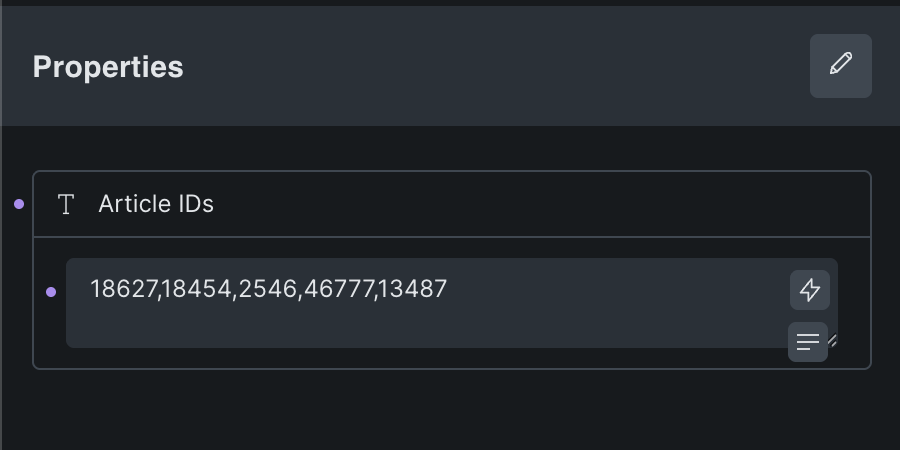
  1. Create a text field labeled “Article IDs” in the component

  2. In the query loop’s Meta Query settings:

    • Meta key: _component_article_ids (this is just a unique identifier, doesn’t need to exist in DB)

    • Meta value: Bind to the “Article IDs” field

    • Compare: IN

    • Type: NUMERIC

The Filter Code:

<?php
/**
 * Bricks Component: Article IDs Query Filter
 * 
 * This filter allows Bricks components to query posts by their IDs using a component field.
 * 
 * THE PROBLEM:
 * - Bricks components can't directly use post__in queries through the UI
 * - Component fields need to be "bound" to query settings to appear in the editor
 * - We bind the field to a meta query, but post IDs aren't meta fields - they're in the main posts table
 * 
 * THE SOLUTION:
 * - Create a component field called "Article IDs" where users enter comma-separated post IDs
 * - Bind that field to a meta query with key "_component_article_ids" (this makes the field visible)
 * - This filter intercepts the query, extracts the post IDs from the component field
 * - Removes the fake meta query and replaces it with a proper post__in query
 * 
 * COMPONENT SETUP:
 * 1. Create a text field labeled "Article IDs"
 * 2. In the query loop's Meta Query settings:
 *    - Meta key: _component_article_ids
 *    - Meta value: Bind to "Article IDs" field
 *    - Compare: IN
 *    - Type: NUMERIC
 * 
 * The meta key "_component_article_ids" is just a unique identifier - it doesn't need to exist
 * in the database. It's only used so this filter knows which query to modify.
 */

add_filter('bricks/posts/query_vars', function($query_vars, $settings, $element_id) {
    
    // Check if we have our meta query
    if (isset($query_vars['meta_query'])) {
        foreach ($query_vars['meta_query'] as $key => $meta) {
            // Look for our specific component meta key
            if (isset($meta['key']) && $meta['key'] === '_component_article_ids') {
                
                // Get the ID from the original settings (not query_vars)
                // Bricks strips the internal 'id' field when converting to query_vars
                if (isset($settings['query']['meta_query'])) {
                    foreach ($settings['query']['meta_query'] as $settings_meta) {
                        if (isset($settings_meta['key']) && $settings_meta['key'] === '_component_article_ids' && isset($settings_meta['id'])) {
                            $meta_id = $settings_meta['id'];
                            
                            // Get the value using the meta ID
                            // Bricks stores component field values with this key pattern
                            $settings_key = "meta_query|{$meta_id}|value";
                            $article_ids_value = $settings[$settings_key] ?? '';
                            
                            if (!empty($article_ids_value)) {
                                // Convert comma-separated string to array of integers
                                $ids = array_map('intval', array_filter(explode(',', $article_ids_value)));
                                
                                if (!empty($ids)) {
                                    // Remove meta query and use post__in instead
                                    unset($query_vars['meta_query']);
                                    $query_vars['post__in'] = $ids;
                                    $query_vars['orderby'] = 'post__in';
                                }
                            }
                            break;
                        }
                    }
                }
                
                break;
            }
        }
    }
    
    return $query_vars;
}, 10, 3);

How It Works

  1. The component field gets bound to the meta query, making it visible to users

  2. When users enter post IDs (e.g., “18627,18628”), Bricks stores this value in the settings

  3. The filter intercepts the query before it runs

  4. It extracts the post IDs from the component field value

  5. Removes the meta query (which wouldn’t work anyway for post IDs)

  6. Replaces it with post__in to properly query posts by their IDs

Key Discovery

Bricks stores component field values in a hidden format: meta_query|{internal_id}|value. The internal ID exists in $settings['query']['meta_query'] but gets stripped when converted to $query_vars['meta_query']. You have to access the original settings to retrieve it.

This workaround is necessary because Bricks doesn’t document how to programmatically access component field data or provide a native way to query posts by ID within components.

So
. this fixes the current issue and hopefully will be a guide with fixing other issues when accessing component data to create more flexible blocks.

what you are asking and trying to build is bad user experience and unconventional in so many levels

there is no way to catch component values from the php

looks like i was right to recommend you custom element at the beginning

but you are approaching your problem completely wrong angle!

stop trying to do it in this way
just create post types or/and custom fields for your user to handle the problem from the posttype level that is the right way to build whatever you are trying.

if you solve your whatever your clients needs to mark the articles for they can just ltieraly mark a checkbox and then you can just simply query it :slight_smile:

next time use https://www.tldraw.com/ to explain stuff instead of writing essay.

The code that I provided catches components values from the component via PHP. It took me some additional research from a new angle but now I have a working version that works great (minus the styling and additional info needed).

Have a great day.

1 Like

well done :smiley:
great work