I’m not exactly sure what I’m looking at (functionality wise), so I’m not exactly sure how it works and how it should work?
If you want to add a color variable, you can add it to the color palette, and the same for typography and spacing.
But if you are talking about the variable manager, you can enter any variable there, and if it’s a color, you will get that small color editor on the right.
Maybe it’s best if you record a video where you explain how it could work so we can better understand it?
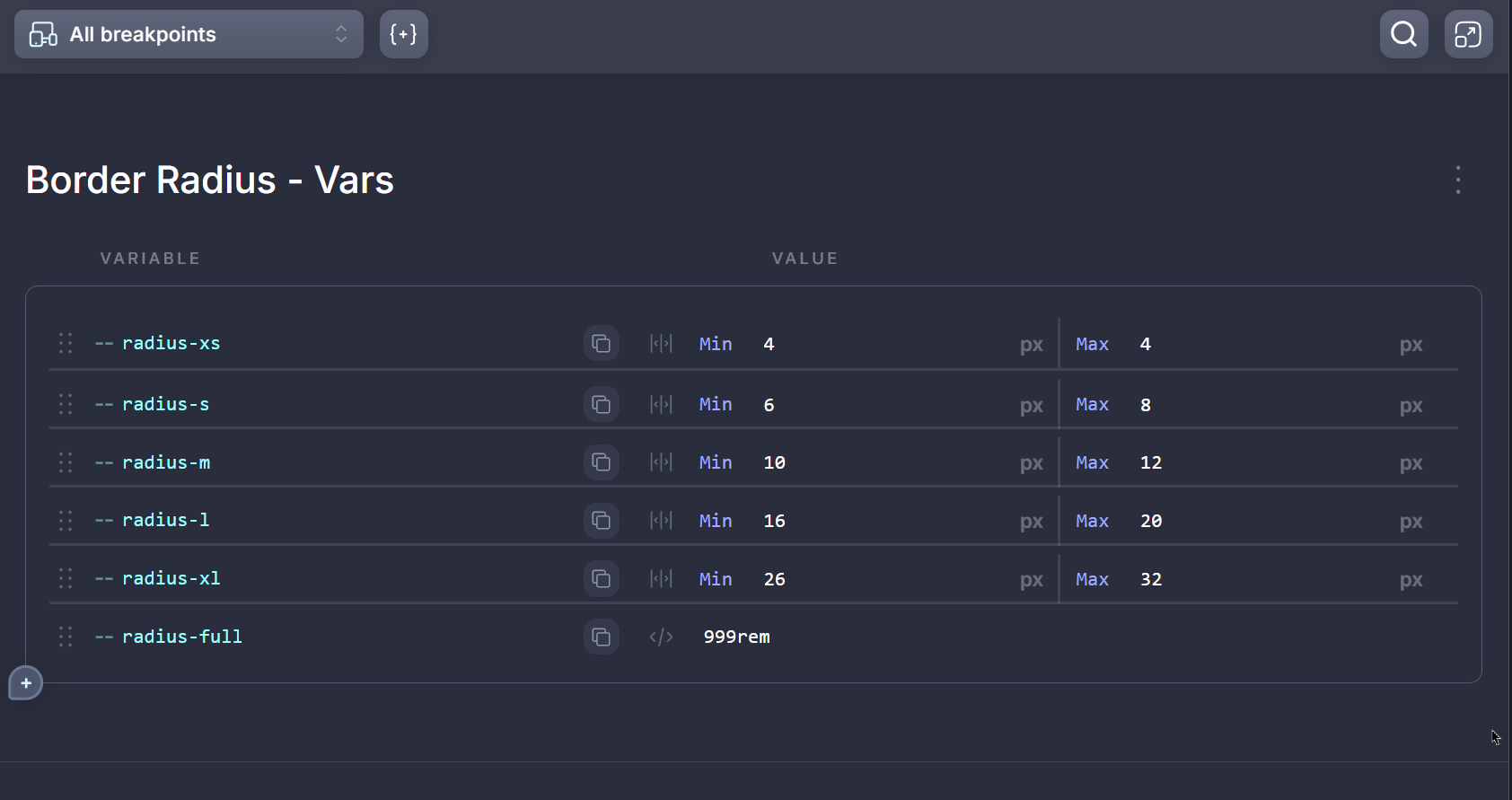
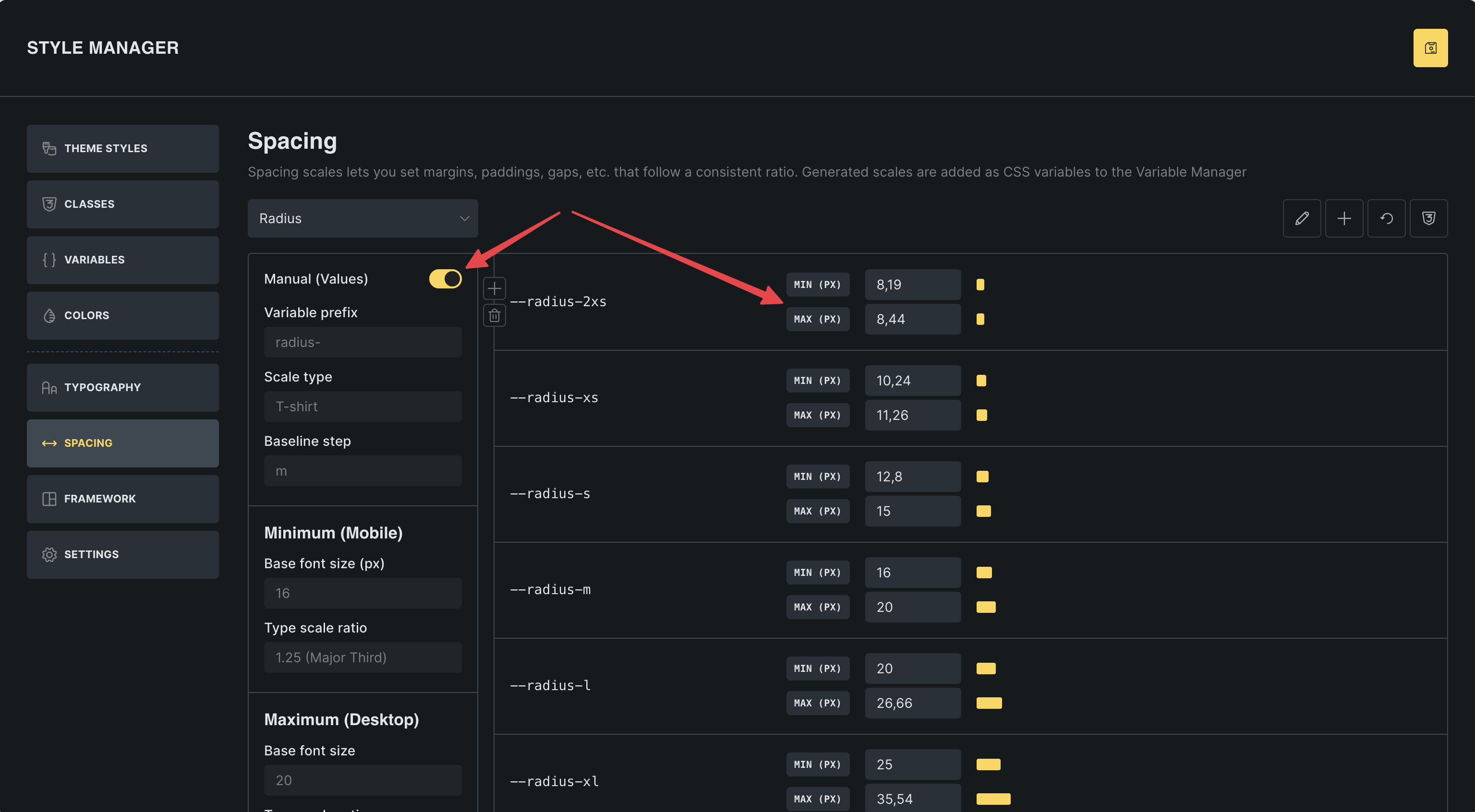
Hey @Matej thanks for getting back to me, i was referring too that i can’t change different variable inputs in the variable manager. For instance, in CF you can input either min and max values or custom normal values.
In the video link here this is what i mean for different variable input values:
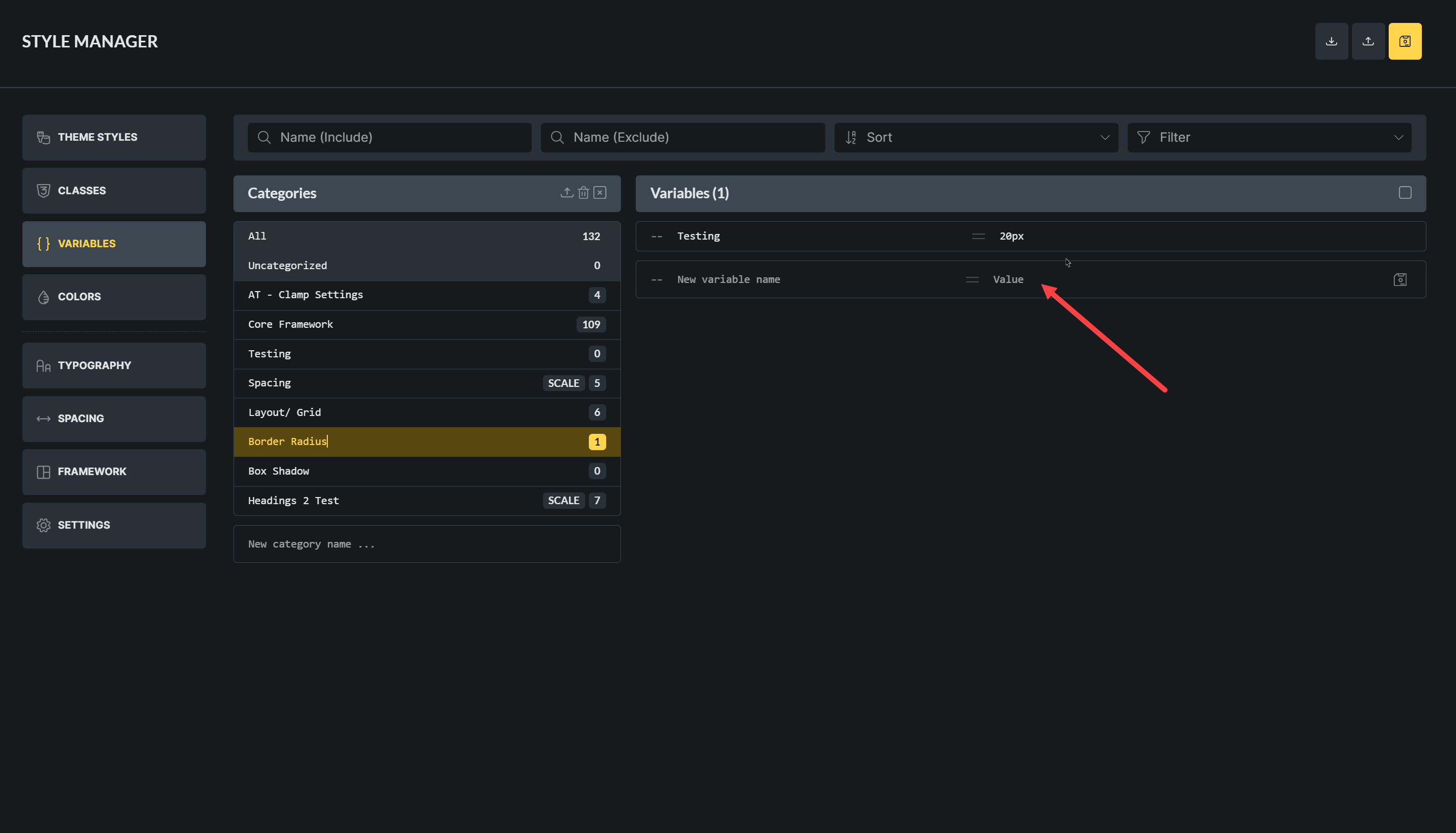
The image below shows that in variable manager in Bricks doesn’t have options to create different input type like adding min and max values.
thank you for the answer. I understand it now.
As for now, we don’t have plans to implement this, but you can manually enter those values (and in case of color, it will show the color input).
But let’s see if this is something that other users would also like to see. Then we can consider it