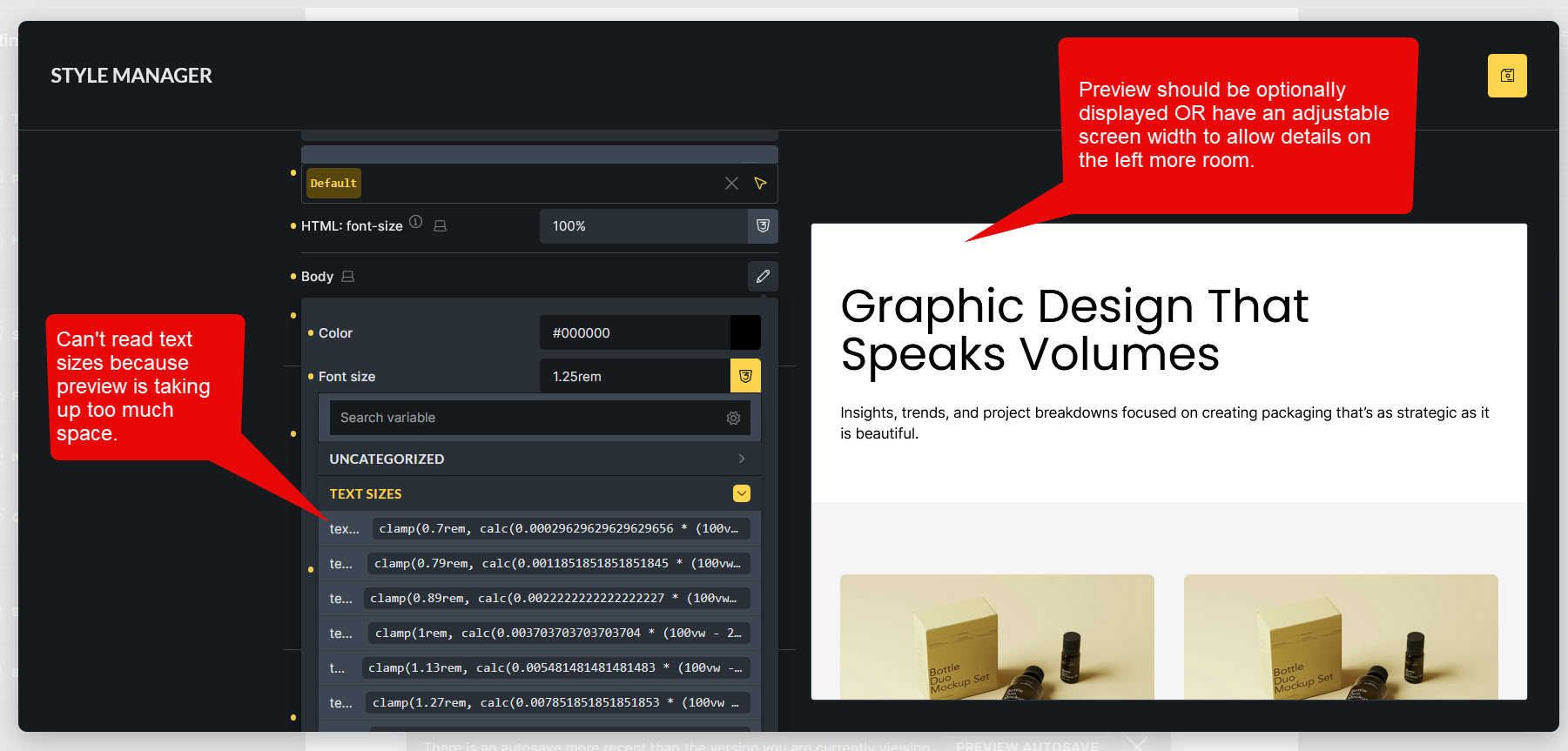
Canvas preview and breakpoints are great additions inside Style Manager. Here are some suggestions to make it even better:
1. Add a theme toggle switch to preview dark/light mode in Style Manager > Theme Styles to preview light/dark mode inside canvas preview.
2. The settings panel in Style Manager > Theme Styles takes too much space, the panel width should be adjustable with a drag control to make more room for the canvas preview.
As mentioned in OP, the width of the canvas preview should be adjustable. This would also allow details on the left to be given more room if necessary.
Add a theme toggle switch to preview dark/light mode in Style Manager > Theme Styles to preview light/dark mode inside canvas preview.
Here I think it would be better to add a toggle switch to Style Manager > Colors if possible. Also, the Colors section should have a preview. Because the dark/light color can be controlled from this section, not in the style theme.
I am even more strict than that … I don’t see the point of displaying the clamp values … they are too long … there is no need to remember them … maybe the MIN MAX value ( 24px - 32px ) can be displayed … it is easier to remember … the same for colors … there is no need to display the HSL RGB values, I don’t need to remember this either after 10 years of experience … preferably we can set Label for the color variables, even for Typography … Primary Light var(–primary-l-1 ) .. and so on …
I am not sure why they (Bricks Dev) want such a wide style manager. I think it’s too wide, and it’s difficult to work, especially when I work with my larger monitor.