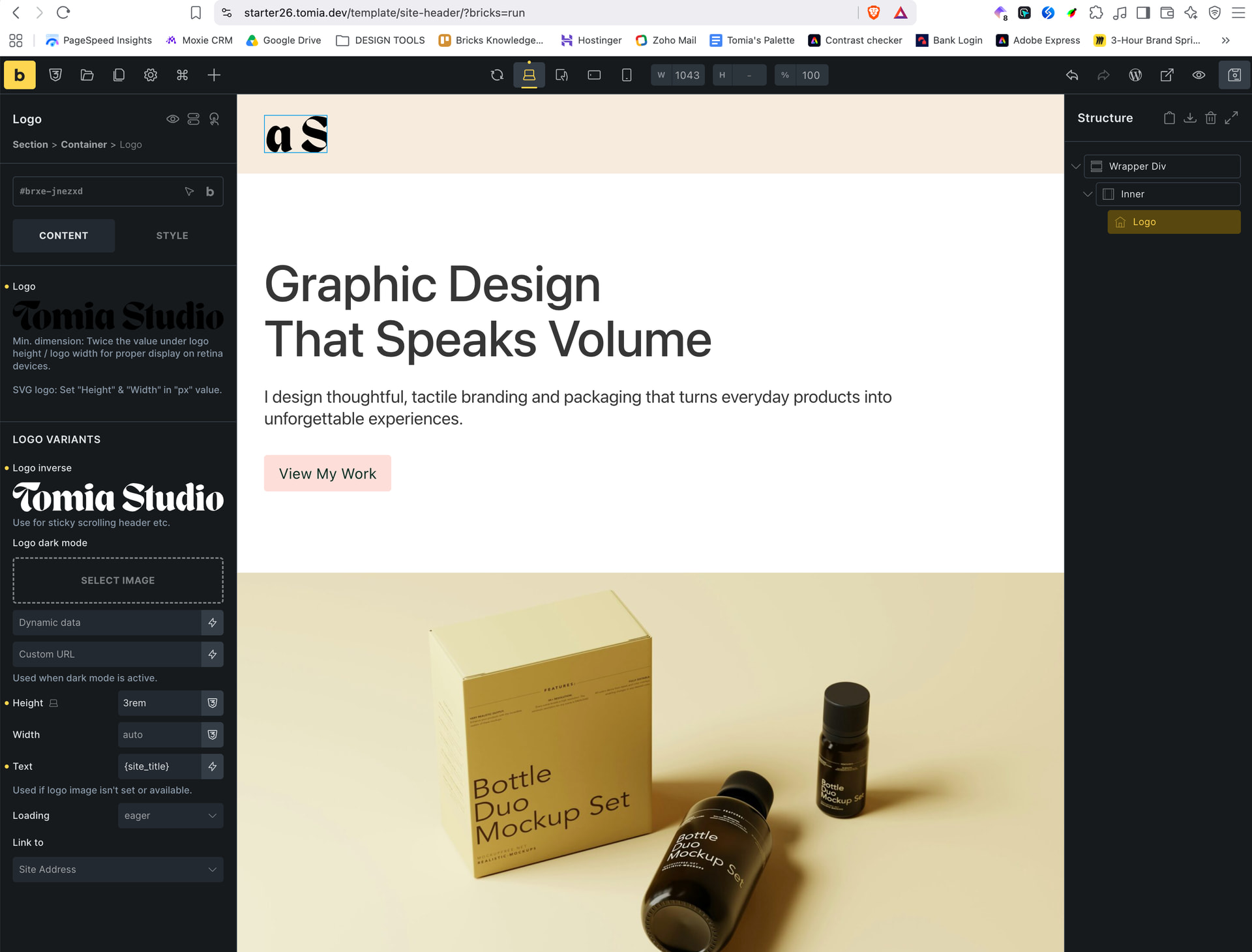
I added a Bricks Logo element to the header and configured the logo variants, including:
-
The primary logo
-
An inverted logo
-
A dark-mode logo
I set the logo height to 3rem, but only part of the logo is displayed. The logo is cropped at both the left and right edges, as though the image is being zoomed into a fixed-size box.
The issue occurs with both:
-
SVG versions of the logo
-
PNG/JPG versions of the logo
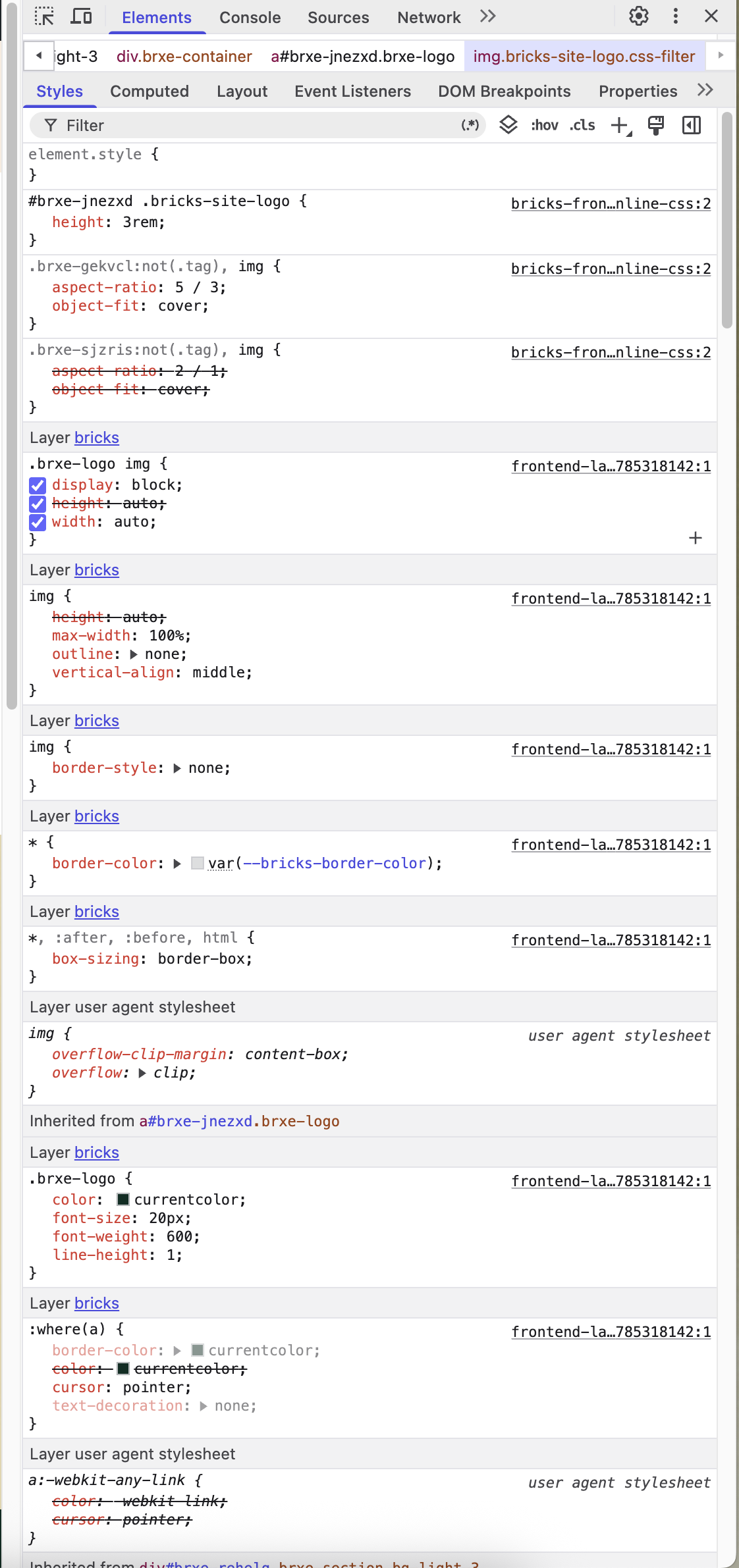
I inspected the element in DevTools and found that Bricks is applying the following rules to the logo image:
css
.brxe-gekvc:not(.tag),
img {
aspect-ratio: 5 / 3;
object-fit: cover;
}
There is also another rule for images:
css
.brxe-sjzris:not(.tag),
img {
aspect-ratio: 2 / 1;
object-fit: cover;
}
The logo-specific rule is:
css
#brxe-jnezxd .bricks-site-logo {
height: 3rem;
}
The object-fit: cover rule appears to be causing the logo to crop because the logo is much wider than the applied aspect-ratio box. I would not expect generic image rules such as aspect-ratio and object-fit: cover to affect the image inside a Bricks Logo element, particularly when the logo height is set and the width should remain automatic.
Is this expected behaviour, or could this be a CSS selector issue/bug in Bricks? Should the generic image rules exclude images inside .brxe-logo, or should the Logo element have more specific styling to prevent these rules from applying?
I have attached screenshots showing:
-
The cropped logo in the Bricks builder
-
The relevant DevTools styles
Any advice or confirmation of whether this is a known issue would be appreciated.