Nice list. I’m loving perfmatters after using it for a few months. Just switched from using Bricks built-in lazyload to perfamtters lazyload, and PSI scores on mobile jumped from high 60s to the high 90s which is kinda wild to me.
For good managed WP hosts - I would also highly recommend Rocket.net. I think they get better performance on average compared to WP Engine, Kinsta, etc.
Yes I try Seraphinite Accelerator and the results are great but how you combine it with litespeed. My hosting also its litespeed and maybe i need it for object cache!
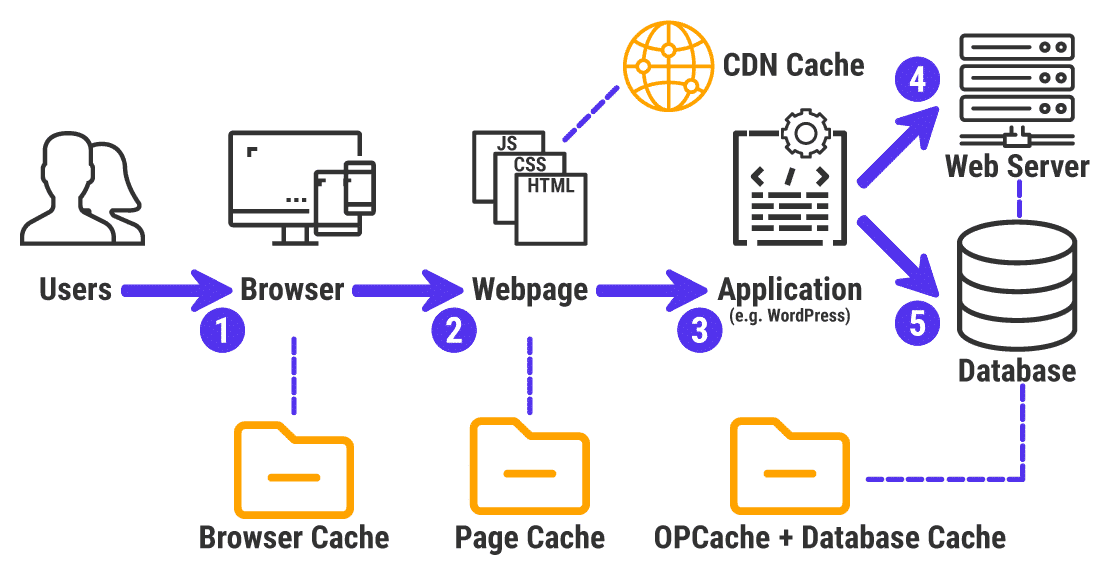
No, as long as your Time-To-First-Byte is much longer, due to PHP and Database being accessed for every page load - instead of directly delivering the cached HTML - caching is necessary.
This little detail is often the reason why pages load 3s for every click instead of responding immediately (e.g. Divi Sites). For similar Bricks sites it’s often just a second, which is less noticable and can be easily forgotten.
I use WPFastestCache on cheap hosting, which has no Redis/OpCache and it is blazingly fast.
I try many cache plugin and most of the time I had worse page speed!
The best plugin until now for me it’s Seraphinite Sccelerator plugin.
Its always 99M 100D or 100M 100M you can check my website https://www.photographic.gr
I’ve had good results with the free version of hummingbird. Although their plugin does add to the PHP workload, it provides the best results without being very complicated IMO.
According to friends’ comments, WP Fastest Cache seems to be the best option. Please, if possible, share the settings of this plugin so that I can configure it correctly?
Yep, Index WP MySQL For Speed plugin does the process for you, and you can revert indexes, and select which tables you wish to index, and even supporting woocommerce HPOS tables.
The plugin is maintained, here is the link:
The plugin description is gold if any of you never heard about database keys (aka indexes) and how important they are for SQL performance.
Be aware that indexing tables mayl double the size of the database, but will also double its performance.
Any suggestions in 2026 for an easy-to-use plugin that works more or less out of the box with Bricks?
We are using Breeze right now (comes with Cloudways), but it’s not picking up page Saves and such, meaning we need to manually purge the whole cache pretty much every time we make any changes to the site in order to see the change on the frontend–which our team hates/often forgets to do, and then complains to me about…
I don’t want to go down a rabbit hole just looking for something that plays nice with Bricks and is free or cheap. Thanks so much!
Nice so you no longer use any plugins and just manage all caching on CDN? Or does Bunny have a plugin to detect when a page updates and clear cache for that page (or other)? Trying to figure out what to suggest to a client. Thanks
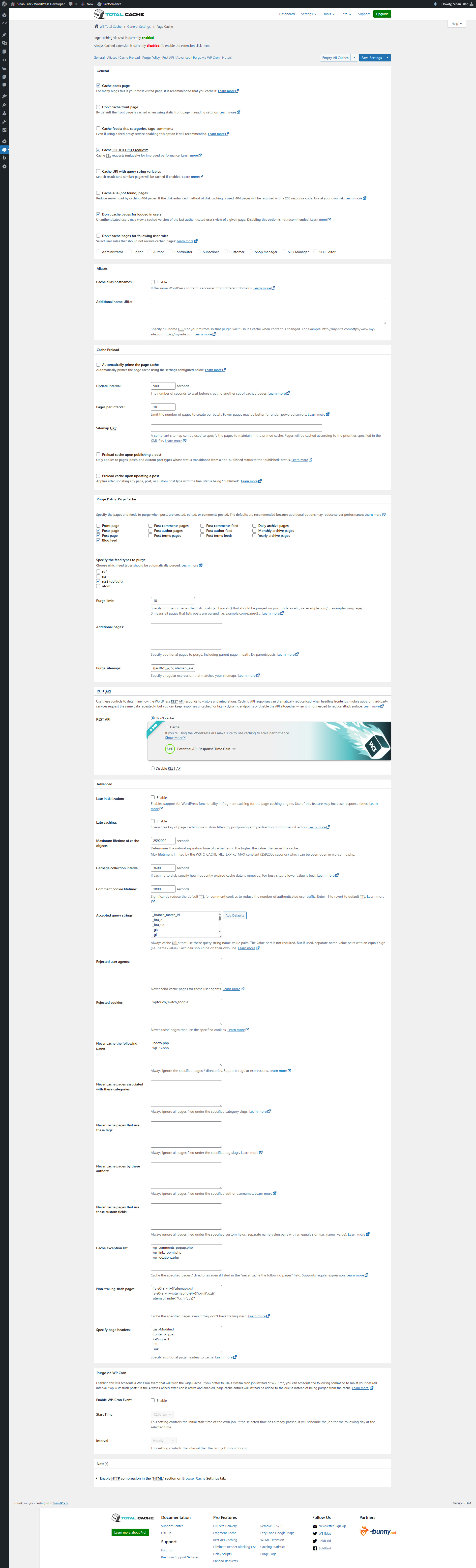
no w3 total cache can connect to the bunny cdn easily from its settings(my aff link btw) you can select it and connect it. you connect it on the cdn setting page.
what i do is only serve the static files and caches on the cdn thats what it does by default like images, media files, css and .js files.
but it is possible to serve the site on the edge completely with page static cache as well. you need dns forward for that and that needs w3 total cache pro as well i dont have w3 pro maybe learn about it
but honestly when you eliminate db calls serve static cache html and serve the heavy files on edge 100 200 ms delay is just fine on your server/html even on the other site of the earth.