Browser: Chrome 110
OS: macOS / Windows / Linux / etc.
URL: Link to a page that illustrates this issue
Video: Short screen recording that illustrates this issue (free tool: jam.dev)
When using a form within a component, and setting the ‘Send to’ field to a populated dynamic data field, the form defaults to sending to the admin email.
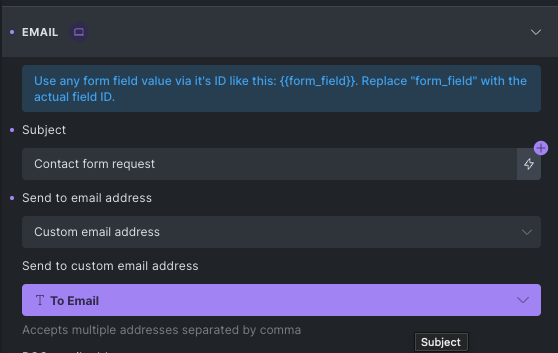
In the above picture, I have the ‘Send to’ email address connected to a property called ‘To Email’
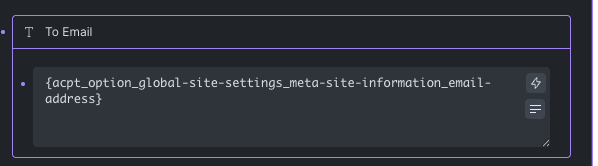
In the above picture, I have set this field to use a custom field provided by ACPT. This setup has worked in every other instance except when using the form. The only users who actually receive the form submission are the Admin and any email addresses added as a BCC / CC.