Hi muz,
Thanks for your report!
This is not a bug. The ACF repeater query type does not currently store a separate “source page ID”. The query dropdown lists loop-capable ACF field definitions; the actual repeater rows are resolved from the current post/loop context (the post/page you’re currently editing).
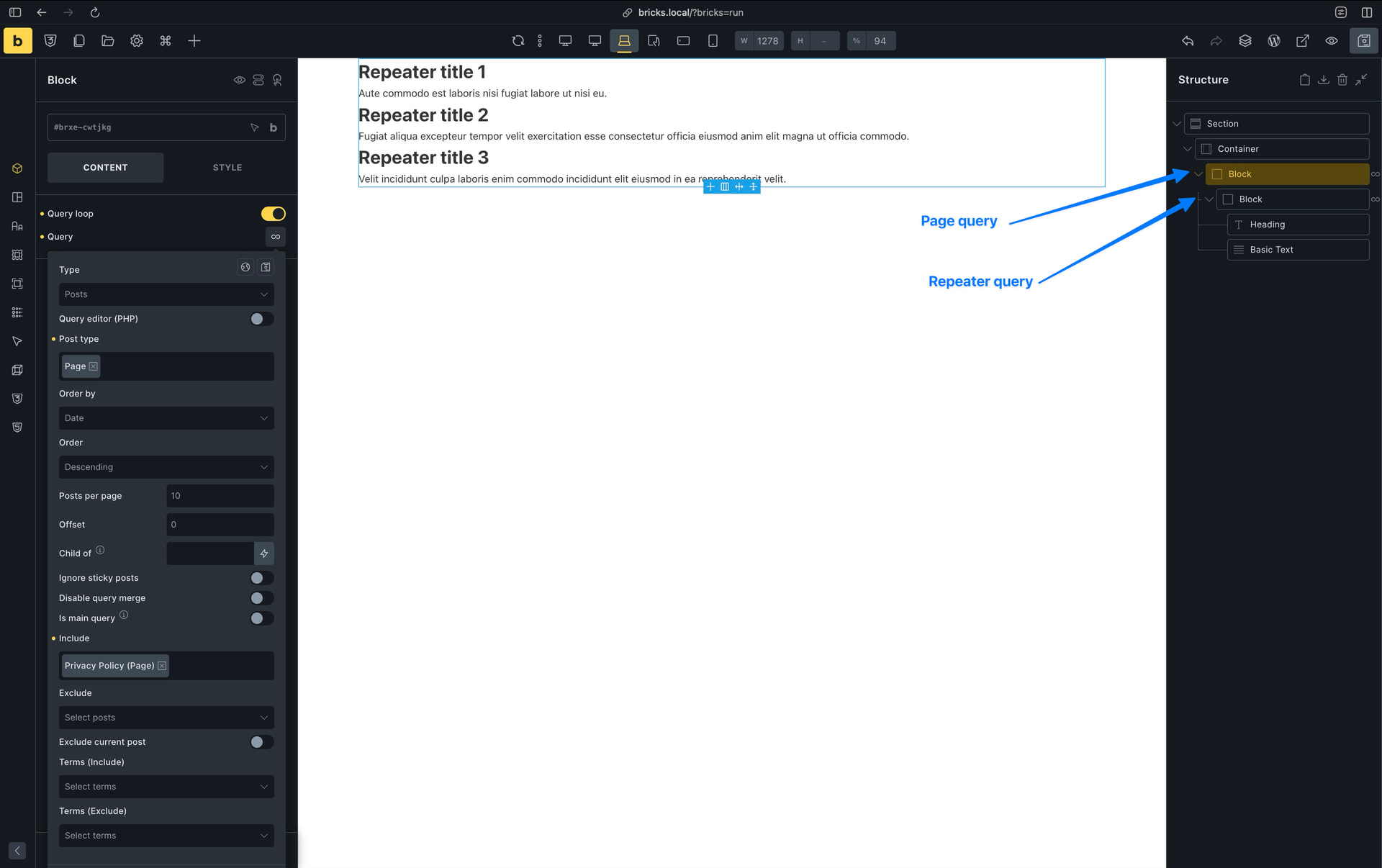
The solution for pulling the repeater fields from another post or page is incredibly simple:
- Add an outer
Block/Divand enableUse Query Loop. - Set that outer query to
Posts. - Set post type to
Pages. - Use
Includeto include only the source page ID. - Inside that outer loop, add another
Block/Div. - Enable
Use Query Loopon the inner element. - Set the inner query type to your
ACF Repeater: ...field. - Add your repeater subfield dynamic tags inside the inner loop.
The outer one-item page loop makes the source page the active post context, so the inner ACF repeater loop can read the repeater rows from that page.
If this repeater is meant to be reused site-wide, an ACF Options Page is often the better choice. Then the repeater is not tied to one page’s post context.
For a code-based workaround, you can also override one specific loop with bricks/query/run, which is the documented hook for returning a custom query result. Example:
add_filter( 'bricks/query/run', function( $results, $query_obj ) {
	if ( $query_obj->element_id !== 'abc123' || ! function_exists( 'get_field' ) ) {
		return $results;
	}

	$rows = get_field( 'your_repeater_field_name', 123 );

	return is_array( $rows ) ? $rows : [];
}, 20, 2 );
Replace abc123 with the raw Bricks ID of the repeater loop element, your_repeater_field_name with the ACF field name, and 123 with the source page ID.