\
**Category:** Feature Requests / Improvements\
**Tags:** feedback\
**Created:** [March 19, 2026, 9:17am UTC](https://forum.bricksbuilder.io/t/2-3-html-css-import-something-missing/38593 "2026-03-19T09:17:17Z")\
**Posts on this page:** 9\
**Page:** 1
**Author:**  [@DanielShuster96](https://forum.bricksbuilder.io/u/DanielShuster96)\
**Post date:** [March 19, 2026, 9:17am UTC](https://forum.bricksbuilder.io/t/2-3-html-css-import-something-missing/38593/1 "2026-03-19T09:17:17Z")
Hey team,
I really love the feature you added. However, I might have missed something. People often use websites like [https://uiverse.io/](https://uiverse.io/) and [https://codepen.io/](https://codepen.io/) to copy elements, but there isn’t an easy way to copy and paste the code to convert it. Perhaps you could add a button in the code widget to facilitate this process. Or maybe its not your intention for this.
**Anyway, thank you for the hard work!**
---
**Author:**  [@timmse](https://forum.bricksbuilder.io/u/timmse)\
**Post date:** [March 19, 2026, 9:53am UTC](https://forum.bricksbuilder.io/t/2-3-html-css-import-something-missing/38593/2 "2026-03-19T09:53:19Z")
Hi Daniel,
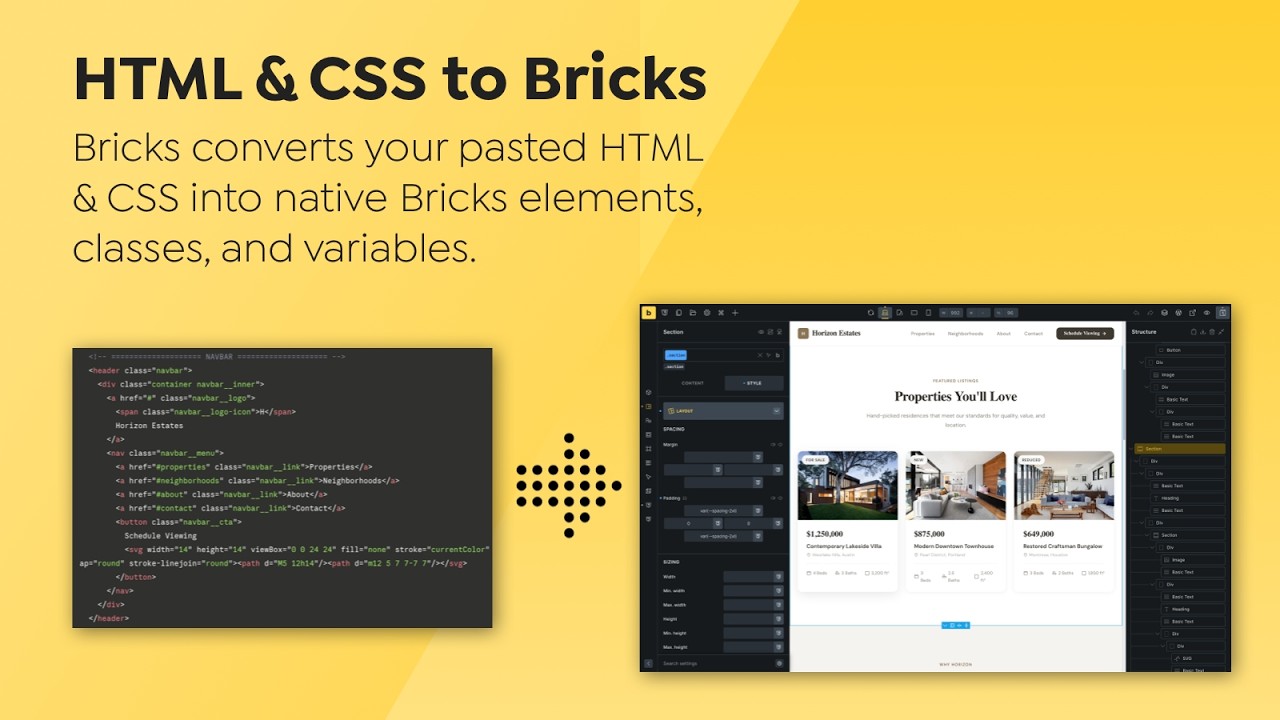
Unfortunately, I don’t quite understand what the suggested improvement is, since all you have to do is paste it - regardless if it’s HTML, CSS, JS, or all in one 🤔
[ ](https://www.youtube.com/watch?v=Jxib7wc_1SU)
---
**Author:**  [@DanielShuster96](https://forum.bricksbuilder.io/u/DanielShuster96)\
**Post date:** [March 19, 2026, 10:06am UTC](https://forum.bricksbuilder.io/t/2-3-html-css-import-something-missing/38593/3 "2026-03-19T10:06:51Z")
Hey I mean something like:
> **[Brickify - HTML/CSS/JS to Bricks Builder Converter](https://brickify.netlify.app/)**
>
> Convert your HTML, CSS, and JavaScript into Bricks Builder's JSON structure. Perfect for developers migrating to Bricks Builder.
> **[Code2Bricks - Convert HTML, CSS & JS to Bricks Builder Format](https://code2bricks.netlify.app/)**
>
> Transform your code into Bricks Builder format with Code2Bricks. A powerful tool for web developers to streamline their workflow.
---
**Author:**  [@shingen](https://forum.bricksbuilder.io/u/shingen)\
**Post date:** [March 19, 2026, 11:37am UTC](https://forum.bricksbuilder.io/t/2-3-html-css-import-something-missing/38593/4 "2026-03-19T11:37:52Z")
You can always buy the plugin if you are looking for that specific UI. [Pricing - code2bricks.com](https://code2bricks.com/pricing/)
---
**Author:**  [@timmse](https://forum.bricksbuilder.io/u/timmse)\
**Post date:** [March 19, 2026, 11:42am UTC](https://forum.bricksbuilder.io/t/2-3-html-css-import-something-missing/38593/5 "2026-03-19T11:42:40Z")
Sure thing—but I’m still wondering what the advantage is? 🤔
At first glance, it seems like an unnecessary step…
---
**Author:**  [@DanielShuster96](https://forum.bricksbuilder.io/u/DanielShuster96)\
**Post date:** [March 19, 2026, 11:48am UTC](https://forum.bricksbuilder.io/t/2-3-html-css-import-something-missing/38593/6 "2026-03-19T11:48:35Z")
I thought that was the idea behind this feature. It seems I was wrong.
@timmse
---
**Author:**  [@timmse](https://forum.bricksbuilder.io/u/timmse)\
**Post date:** [March 19, 2026, 12:29pm UTC](https://forum.bricksbuilder.io/t/2-3-html-css-import-something-missing/38593/7 "2026-03-19T12:29:05Z")
Sorry, but can’t you just answer my question?
> [@timmse](#):
>
> I’m still wondering what the advantage is?
The idea behind the feature is to insert HTML, CSS, and JavaScript and convert it to Bricks elements/styles, whenever possible —and that’s exactly what’s possible by just pasting it without any additional steps in between.
In addition to the video and the release notes, there is an Academy article:
> **[HTML & CSS to Bricks](https://academy.bricksbuilder.io/article/html-css-to-bricks/)**
>
> Building a layout in Bricks based on a web layout library or AI-generated layouts usually means building it from scratch, element by element. This feature changes that workflow. You can now paste HTML or CSS directly into the builder to create native...
Sorry, but I still don’t understand exactly what your specific suggestion for improvement is.
---
**Author:**  [@DanielShuster96](https://forum.bricksbuilder.io/u/DanielShuster96)\
**Post date:** [March 19, 2026, 1:58pm UTC](https://forum.bricksbuilder.io/t/2-3-html-css-import-something-missing/38593/8 "2026-03-19T13:58:36Z")
If I want to take an element from one of these sites, I need to open a word editor, paste the code, and then copy and paste it into Bricks for it to work. My improvement was to eliminate the middle step of pasting it into a word editor before copying it to Bricks. Initially, I thought this feature was intended for copying fully developed CSS, JavaScript like buttons, and etc.. and transform it to bricks elements. Some of the cool features on websites like CodePen require using a JavaScript library, so it would be even better if there were an easy way to implement them. I’m considering all the features from the perspective of someone new to coding. I believe it would be a smart move to simplify the implementation of elements from these sites because Bricks is still a relatively new product and doesn’t have as many elements as Elementor, for example. Integrating elements from a vast library like these websites and allowing easy implementation in Bricks natively, so we can edit them without code, would greatly benefit Bricks.
---
**Author:**  [@timmse](https://forum.bricksbuilder.io/u/timmse)\
**Post date:** [March 20, 2026, 8:59am UTC](https://forum.bricksbuilder.io/t/2-3-html-css-import-something-missing/38593/9 "2026-03-20T08:59:09Z")
> [@DanielShuster96](#):
>
> If I want to take an element from one of these sites, I need to open a word editor, paste the code, and then copy and paste it into Bricks for it to work.
No, actually not: